 NEWS
NEWS
BeatsX Shipping Dates Updated With January Delivery Estimates?
 01/11/2017
 3985
3985
Although Apple.com has listed the BeatsX Earphones as not launching until sometime in February, a few tipsters have pointed out that Amazon updated their pre-orders to suggest that BeatsX will be arriving earlier than expected. The updated delivery windows are large, but both place the upcoming earphones with a January delivery date: one ranges from January 17 to January 27, and another from January 18 to January 30.
Additionally, Fry's Electronics lists a shipping date on January 23 for BeatsX. Although that would fall in the window of Amazon's orders, the date is most likely a placeholder. Fry's was a part of a few retailers who suggested a December launch for BeatsX back in November -- a debut which the earphones obviously missed.
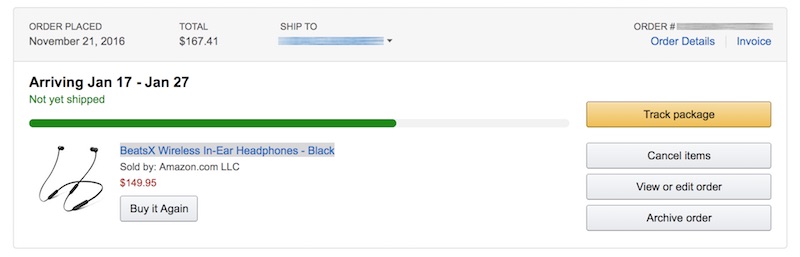
On both Apple.com and the official Beats website, BeatsX are currently not available to pre-order. Apple describes the earphones as "currently unavailable" along with the general "Coming February" launch month. On the Beats website, users can opt in for an e-mail notification when BeatsX launches, but there is no purchase or order button option either.
In terms of features, the $149.95 BeatsX Earphones include in-line volume and playback controls on a flex-form cable, along with multiple wingtip and eartip add-ons (four total) that the company says will ensure a secure and comfortable fit for each user. Each bud of the earphones is magnetic and attaches to the other when hanging around a user's neck, further ensuring BeatsX can't easily be lost when not listening to music. The earphones are also part of the new "Got No Strings" Beats advertising campaign.
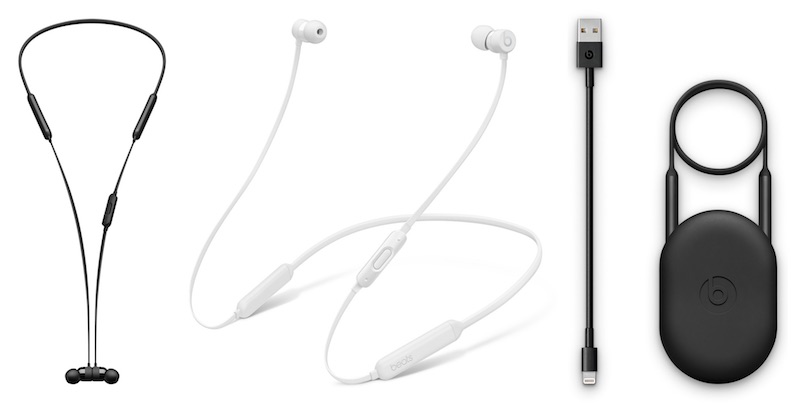
BeatsX were one of the W1-enabled earphones that Apple announced during its September 7 iPhone event, also including the AirPods, Powerbeats3, and Beats Solo3. The AirPods launched on December 13 and stock quickly dwindled, while the Beats Solo3 have been out since September, and the Powerbeats3 were available to order in October.
Source: macrumors










