 NEWS
NEWS
New iPhone Leak Reveals Struggle to Replace Magical Airpower
 04/30/2019
 2926
2926
As more details are leaked about the 2019 iPhone family of devices, there's more evidence that Tim Cook's latest handsets may be upgrades for existing iPhone users, but there is nothing new to attract Android users to the iOS platform.
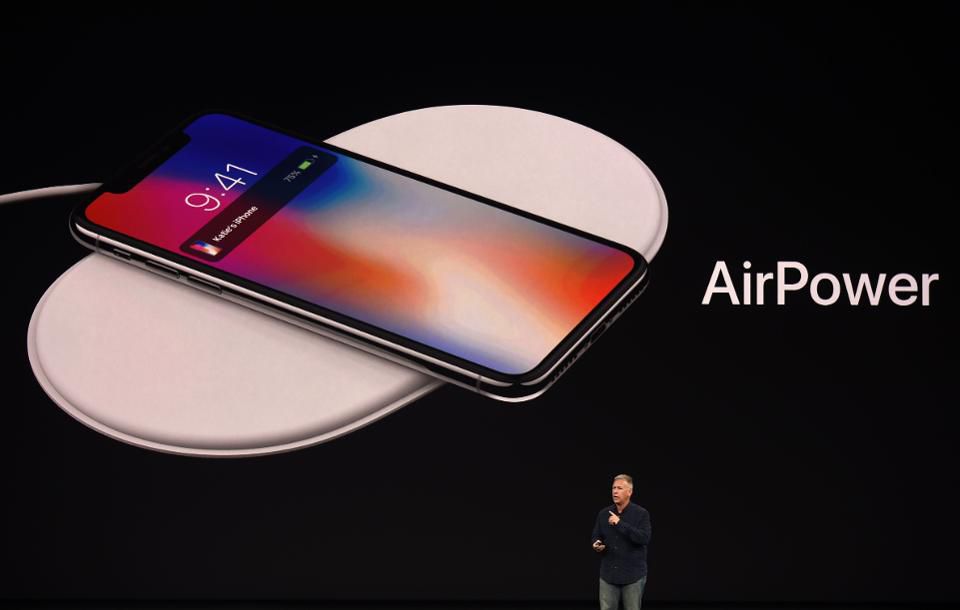
The latest hardware details come from Macotakara, and while the focus was on the details of Apple's approach to the iPhone XR2 camera, the note on the inclusion of a fast charger in the retail packaging signals a quiet reversal for Tim Cook's Apple.
This was not the plan around charging and batteries. The plan was to have the magical wireless charging of AirPower taking the lead with the new iPhone design that was introduced in 2017. AirPower was prominently displayed alongside the iPhone X. While the iPhone X did ship on time, AirPower slipped, and slipped, and slipped, and was then given an embarrassing cancellation via the '5 pm on a Friday press release' route.
So Apple is left with 'fast charging' as the battle cry. And that has two major problems.
The first is that fast charging with higher rated chargers is an existing feature. It's just that you have to pay for an additional charger to gain the benefit. Switching the charger in the box from the lower and slower charger to the higher rated charger gives 2019 iPhones a boost, but it also reduces Apple's potential to sell the geekerati a second charger, reducing the average revenue and profit per user.
It's also a feature that Apple is already behind compared to the competition. Bringing the 18W charger into the box simply offers the iPhone user parity with a comparable Android-powered handset - and in any case, the competition will still be ahead.
Source: Forbes










