 NEWS
NEWS
The Demo iPhone was Sold With Data as an Original New
 04/26/2019
 5051
5051
A man reportedly bought what was packaged as a new iPhone, only to find what appears to be personal data from a previous owner —but there are hints that it may be a demo unit, resold by a third-party vendor.
New Zealand iPhone
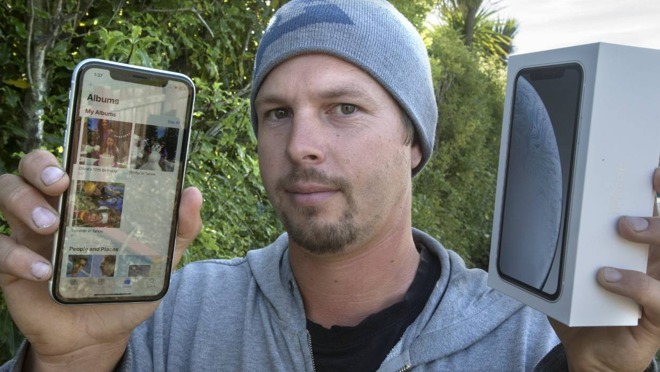
Content in the phone included flight, bank, and medical details, as well as voice messages from the owner's daughter, Glen Cottle told Stuff. The prior owner also had smart home controls enabled for lighting, heating, and a front door lock.
Cottle said he suspects the earlier owner was Australian, but that he hasn't had any luck trying to contact him. The iPhone was bought sealed from a Smith's City store in Timaru, which was allegedly "horrified" when it learned about the situation and ready to swap for a new device.
It's not clear how the mistake could have happened. One possibility is that it was a resealed phone from Smith's or third-party store. Another is that it was a demo unit, and indeed a screenshot from the Notes app shows the sort of generic, idealized samples Apple tends to use.
Further suggesting a demo unit, one-note even references a road trip along Big Sur, a section of the California coast. The company tends to be California-centric in marketing despite a global audience.
New Zealand iPhone
Assuming the device was resealed after return, for Cottle to use the phone, and access the data, the device must not have been locked with Face ID or a passcode. Demo units provided to retail by Apple aren't passcode protected.
The incident nevertheless reinforces the need to wipe an iPhone before selling or trading it.
Source: appleinsider










