 NEWS
NEWS
Apple Registers PrivacyIsImportant․com Domain, Not Yet in Use
 03/06/2019
 2906
2906
WhoIs records show that Apple has purchased the domain PrivacyIsImportant.com, a domain which hasn’t previously been owned.
The domain is not yet in use …
The purchase was first spotted by DomainInvesting.
I thought it was interesting when I saw a domain name that Apple just hand registered yesterday – PrivacyIsImportant.com. From what I can see using the Whois History tool at DomainTools, this appears to be the first time this domain name has ever been registered. It’s a bit surprising that a domain name like PrivacyIsImportant.com has never been registered by anyone before.
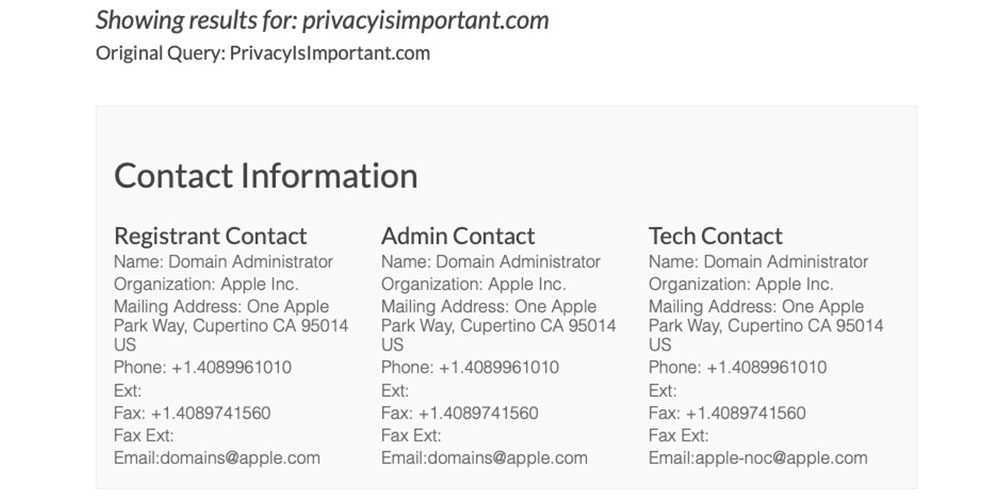
PrivacyIsImportant.com does not yet resolve to a website or any type of landing page. My guess is that Apple will use “privacy is important” as some sort of tag line and the domain name will forward to the relevant page within Apple’s website. I don’t recall seeing the company use any unbranded domain names before on a standalone basis, beyond iCloud.com.
The domain was registered yesterday, initially for one year.
The registrar is CSC Corporate Domains, which describes itself as a domain security company used by more than half of the top 100 global brands.
CSC Security Center was created using CSC’s advanced proprietary algorithms to be the most comprehensive domain security solution on the market, minimizing unknown risks and reducing disruptions to your business by identifying threats that aren’t caught by your firewall. If you’re already using CSCDomainManager, this is built right in, and can be activated immediately.
We offer a complete suite of services to safeguard your digital assets against fraudsters and hackers. Our sophisticated multi-layer authentication options prevent unauthorized access to domain names, while our Anti-Phishing services secure the email channel and mitigate phishing attacks. We offer the latest digital certificates to protect web properties and customer data, and our DNS services protect your web properties against distributed denial of service (DDoS) attacks.
Apple has used privacy as a significant point of differentiation in its marketing, with CEO Tim Cook frequently contrasting Apple’s approach to personal data with that of companies where ‘you are the product.’ He recently wrote a TIME op-ed in which he called for legislation to create GDPR-like protections for US citizens.
That’s why we believe the Federal Trade Commission should establish a data-broker clearinghouse, requiring all data brokers to register, enabling consumers to track the transactions that have bundled and sold their data from place to place, and giving users the power to delete their data on demand, freely, easily and online, once and for all.
The company recently suffered a privacy-related embarrassment, however, when it was revealed that a FaceTime bug potentially allowed a caller to hear and see you before you answered the call. Apple took the Group FaceTime feature offline while it fixed the problem.
With poor timing, details of the bug emerged shortly after Apple ran a ‘What happens on your iPhone, stays on your iPhone‘ ad campaign.
Apple’s plans for the PrivacyIsImportant.com domain aren’t yet known, but one possibility is that it might be used to host materials relating to the company’s call for federal privacy regulation.
Source: 9to5mac










