NEWS

16-Inch MacBook Pro With All-New Design Expected in 2019, 13-Inch Model May Gain 32GB RAM

02/19/2019

2651

Apple will release a new MacBook Pro with a 16-inch to 16.5-inch display and an all-new design in 2019, according to Apple analyst Ming-Chi Kuo


16-Inch MacBook Pro With All-New Design Expected in 2019, 13-Inch Model May Gain 32GB RAM


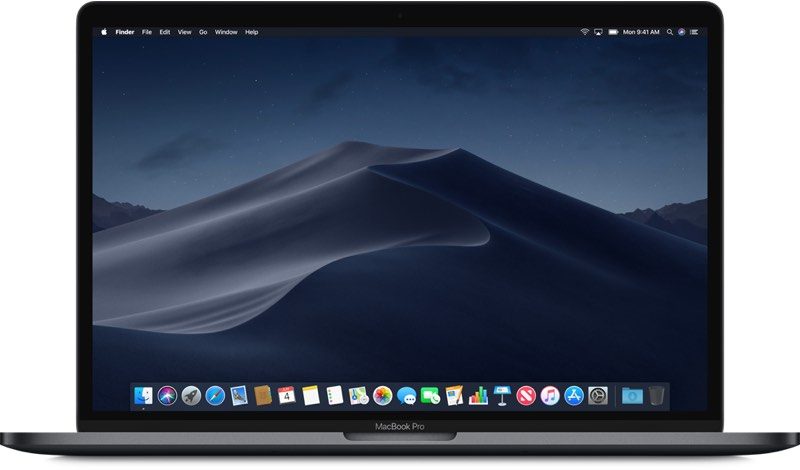
Tonight, analyst Ming-Chi Kuo released a research note looking at Apple's releases in 2019. MacRumors has obtained a copy of the report and perhaps the most exciting prediction for Mac users is the revelation that Apple is working on a 16"-16.5" MacBook Pro. Unfortunately the report provides few details beyond that it is an "all-new" design, suggesting Apple is revamping their current MacBook Pro design. 

A 16"-16.5" screen would be the largest screen Apple has provided on a MacBook Prosince the 
discontinuation of the 17" MacBook Pro in 2012. Close followers of Apple's MacBook Pro refresh cycle have been expecting Apple to continue with the current design until at least 2020. The MacBook Pro last saw a redesign only two and half years ago

Kuo also says Apple may add a 32GB RAM option to the 13-inch MacBook Pro, without providing further details. 


Source: macrumors

Windows
Mac OS
iOS
Linux
3uTools
Win 64-bit For this device
V9.01 2025-12-27
Download
Win 32-bit For this device
V9.01 2025-12-27
Download
3uTools
Intel Chip How to Identify Chip Type
V9.01 2025-12-31
Download
Apple Silicon
V9.01 2025-12-31
Download
How to Identify Chip Type
1.  Click the Apple icon in the top-left corner of the screen and select About This Mac.
2.  Check the Processor or Chip field to determine if it is "Intel" or "Apple".
Please use the 3uTools PC client to install the iOS client:
1、 Install either the Windows or Mac version of 3uTools on your computer
2、 Open the PC client and connect your device to the computer via USB cable
3、 After the connection is successful, wait for the computer to automatically install the mobile app for the device, or locate “Install Mobile App” on the computer and manually click to install.
3uTools
deb file
V3.01 2025-11-20
Download
rpm file
V3.01 2025-11-20
Download
Windows
Windows
iOS
iOS
Android
Android
TV
TV
3uAirPlayer
Win 64-bit For this device
V6.0.2 2025-11-19
Download
Win 32-bit For this device
V6.0.2 2025-11-19
Download
iOS Device Mirroring (No App Required)
1、 Install 3uAirPlayer on the Windows PC
2、 Open Control Center and select Screen Mirroring
3、 From the list, choose your PC to start mirroring
4、 Or connect your iOS device to the PC via USB to begin mirroring
Scan to get "3uAirPlayer" App
3uAirPlayer TV V1.0.18
2025-11-28
TV System Requirements: Android 7.0 or later
Download the TV installation package, copy it to a USB drive, insert it into your TV or set-top box, then select the file from the home screen to install.