 NEWS
NEWS
A woman is Suing Apple Because she didn’t Think the iPhone Had a Notch
 12/17/2018
 2849
2849
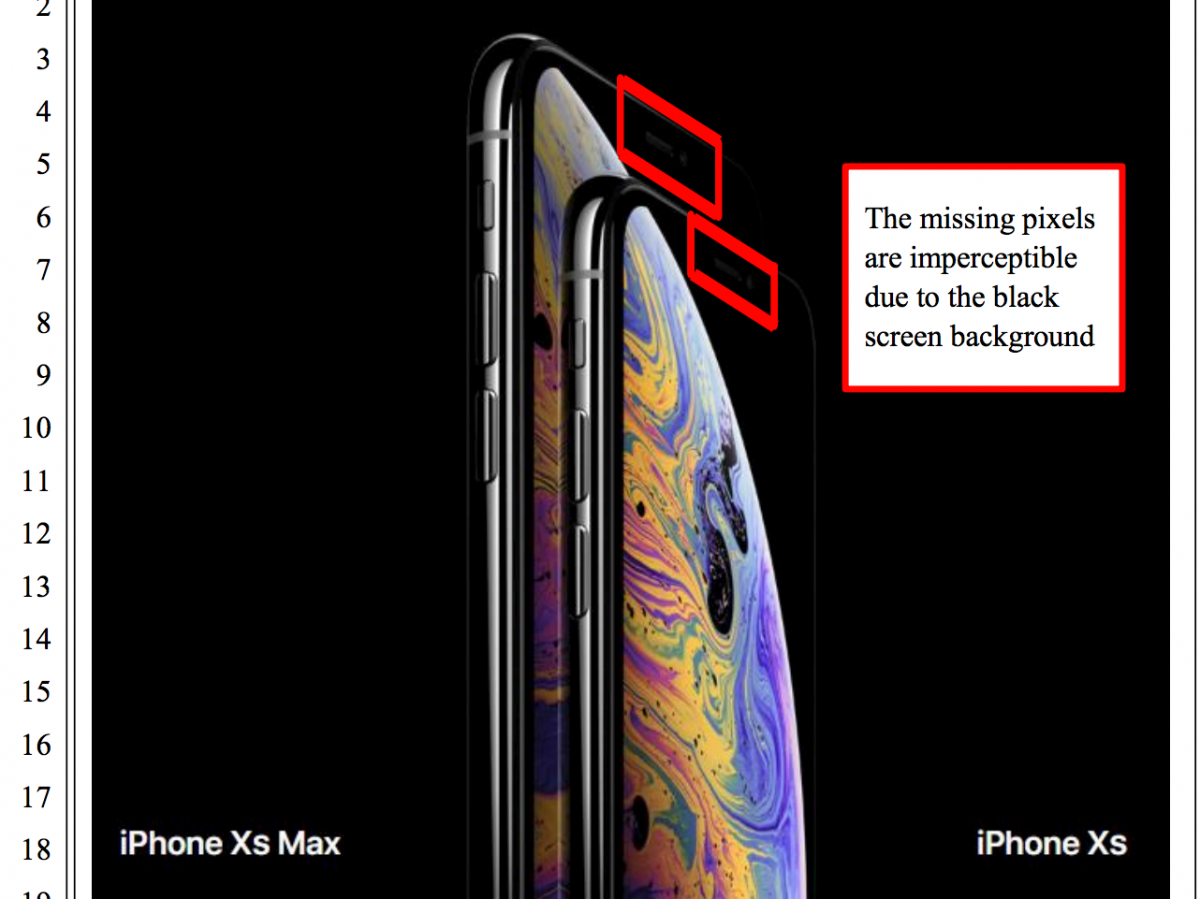
A notable design element of Apple’s iPhone XS and iPhone XS Max phones is what most people call “the notch.”
It’s a cutout on the top of the phone’s screen so that Apple can pack in the advanced cameras necessary for the FaceID facial recognition security without adding bezels around the phone’s edges.
But in much of Apple’s recent marketing, the notch blends into the screen because Apple displays a black background in many of the promotional images and on the front page of its website.
Now, someone is saying that those images are misleading – and she’s suing over it.
In a complaint filed Friday in the northern District of California, Courtney Davis’ lawyers accused Apple of designing its advertising to obscure the notch, leading Davis to believe that the iPhone XS Max she preordered wouldn’t actually come with a notch.
“Images that disguise the missing pixels on the Products’ screens are prominent on Defendant’s website, as well as in the advertisements of retailers who sell the products,” the complaint said. “These images were relied on by Plaintiff DAVIS, who believed that the iPhone XS and XS Max would not have a notch at the top of the phone.”
There are other matters cited in the complaint, including a claim Apple shouldn’t count pixels on the corners of the device in its advertising, because they are rounded off.
The lawsuit is seeking class-action status, as well as damages from Apple. It may be years before there’s any substantial developments one way or the other, given how long class-action lawsuits usually take to progress. Indeed, there’s no guarantee that this will ever come to court at all.
But Friday’s complaint is the first time that the marketing images related to the latest premium iPhones – starting at $1000 – are being closely scrutinized in a legal sense. When the marketing images were leaked in August, many tech commentators said the black background effectively hid the notch from being readily apparent.
Apple didn’t immediately respond to a request for comment.
Source: bi










