
NEWS

Apple to Hold Four Day Shopping Event Starting on Black Friday

11/21/2018

2528

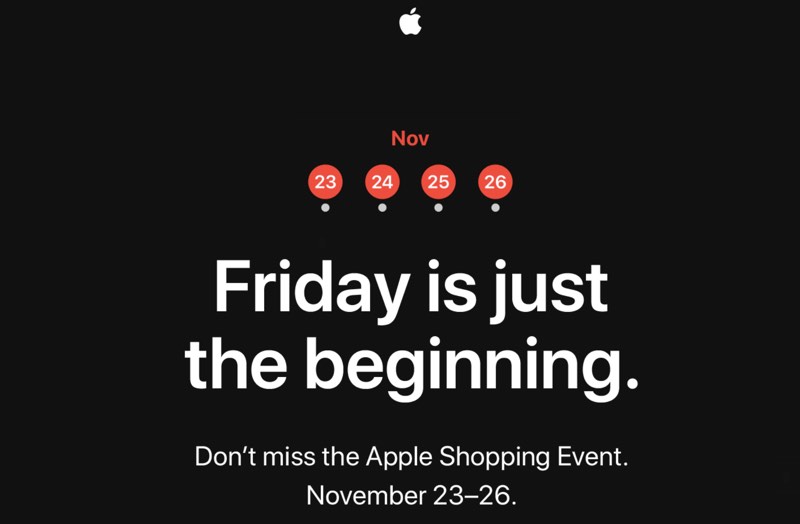
Apple in 2018 is planning to hold a four day "shopping" event that will presumably see Apple products available at a discount or with some kind of gift with purchase. 


On Apple's website, there is a 
blank shopping event page that will presumably be populated with deals when Black Friday rolls around, and Apple today sent out teaser emails to customers letting them know about the upcoming sale. 

Apple to Hold Four Day Shopping Event Starting on Black Friday


Apple's shopping event will kick off on Friday, November 23 and it will last until Monday, November 26, aka Cyber Monday, another popular day for deals. 


Last year, Apple held a similar shopping event that saw the company offering Apple Store gift cards
 worth up to $150 with the purchase of select devices including Macs, iPhones, iPads, and Apple Watches. 


Apple's deals have historically not been quite as good as discounts available from third-party retailers, so if you're shopping for something specific on Black Friday, it's best to take a look at all of the available deals at each retailer before making a decision. 


Source: macrumors

Windows
Mac OS
iOS
Linux
3uTools
Win 64-bit For this device
V9.01 2025-12-27
Download
Win 32-bit For this device
V9.01 2025-12-27
Download
3uTools
Intel Chip How to Identify Chip Type
V9.01 2025-12-31
Download
Apple Silicon
V9.01 2025-12-31
Download
How to Identify Chip Type
1.  Click the Apple icon in the top-left corner of the screen and select About This Mac.
2.  Check the Processor or Chip field to determine if it is "Intel" or "Apple".
Please use the 3uTools PC client to install the iOS client:
1、 Install either the Windows or Mac version of 3uTools on your computer
2、 Open the PC client and connect your device to the computer via USB cable
3、 After the connection is successful, wait for the computer to automatically install the mobile app for the device, or locate “Install Mobile App” on the computer and manually click to install.
3uTools
deb file
V3.01 2025-11-20
Download
rpm file
V3.01 2025-11-20
Download
Windows
Windows
iOS
iOS
Android
Android
TV
TV
3uAirPlayer
Win 64-bit For this device
V6.0.2 2025-11-19
Download
Win 32-bit For this device
V6.0.2 2025-11-19
Download
iOS Device Mirroring (No App Required)
1、 Install 3uAirPlayer on the Windows PC
2、 Open Control Center and select Screen Mirroring
3、 From the list, choose your PC to start mirroring
4、 Or connect your iOS device to the PC via USB to begin mirroring
Scan to get "3uAirPlayer" App
3uAirPlayer TV V1.0.18
2025-11-28
TV System Requirements: Android 7.0 or later
Download the TV installation package, copy it to a USB drive, insert it into your TV or set-top box, then select the file from the home screen to install.




