
NEWS

Apple Updated Tracks Basketball Shots on Homecourt for iPhone XR

10/18/2018

2327

Homecourt, one of the AR apps demoed at the iPhone XS keynote, is getting the much-anticipated “Shot Science” update today. The updated app now tracks basketball shots using AI.


The app now tracks how many shots you made, the percentage made, and where they were taken from. The app, which was developed by NEX Team, is founded by ex-Apple, Facebook, and Google engineers and uses machine learning to figure out what’s happening on the court.
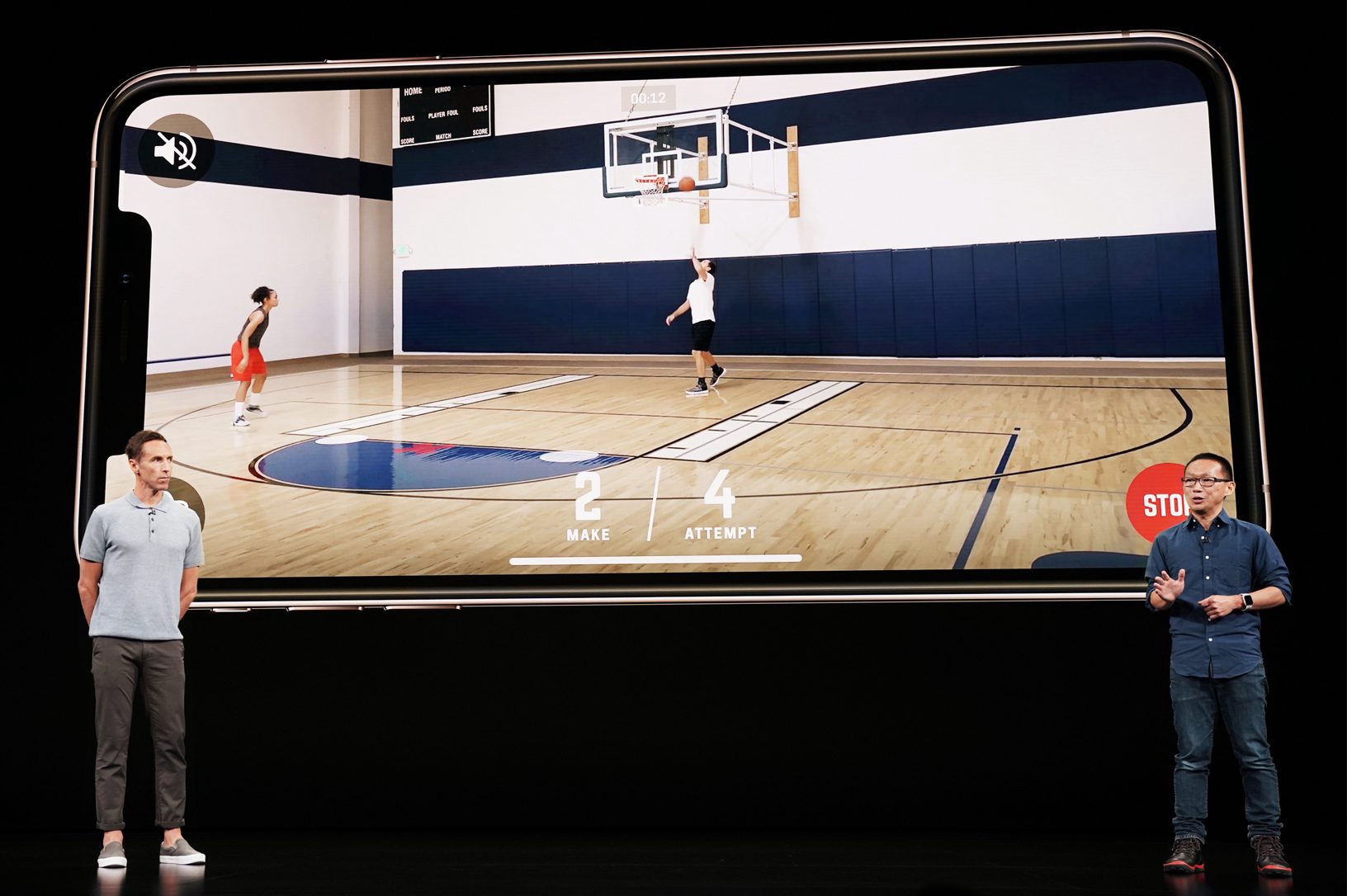

Apple Updated Tracks Basketball Shots on Homecourt for iPhone XR


Co-founder David Lee says (via Business Insider) that the app was created because he was unable to make a shot. At the time, he was developing web apps at Apple, but decided to start building Homecourt when he was unable to make shots in front of his wife and two daughters.


While many will argue that AR is near worthless at the moment, with not many apps taking advantage of it, Homecourt is a clear example that AR can be more than a gimmick if the idea is there. Apps like this make it obvious as to why Apple is putting so much time and effort into developing the largest and best AR platform in the world.


The update is available as a free download on the App Store.


Source: 9to5mac

Windows
Mac OS
iOS
Linux
3uTools
Win 64-bit For this device
V9.01 2025-12-27
Download
Win 32-bit For this device
V9.01 2025-12-27
Download
3uTools
Intel Chip How to Identify Chip Type
V9.01 2025-12-31
Download
Apple Silicon
V9.01 2025-12-31
Download
How to Identify Chip Type
1.  Click the Apple icon in the top-left corner of the screen and select About This Mac.
2.  Check the Processor or Chip field to determine if it is "Intel" or "Apple".
Please use the 3uTools PC client to install the iOS client:
1、 Install either the Windows or Mac version of 3uTools on your computer
2、 Open the PC client and connect your device to the computer via USB cable
3、 After the connection is successful, wait for the computer to automatically install the mobile app for the device, or locate “Install Mobile App” on the computer and manually click to install.
3uTools
deb file
V3.01 2025-11-20
Download
rpm file
V3.01 2025-11-20
Download
Windows
Windows
iOS
iOS
Android
Android
TV
TV
3uAirPlayer
Win 64-bit For this device
V6.0.2 2025-11-19
Download
Win 32-bit For this device
V6.0.2 2025-11-19
Download
iOS Device Mirroring (No App Required)
1、 Install 3uAirPlayer on the Windows PC
2、 Open Control Center and select Screen Mirroring
3、 From the list, choose your PC to start mirroring
4、 Or connect your iOS device to the PC via USB to begin mirroring
Scan to get "3uAirPlayer" App
3uAirPlayer TV V1.0.18
2025-11-28
TV System Requirements: Android 7.0 or later
Download the TV installation package, copy it to a USB drive, insert it into your TV or set-top box, then select the file from the home screen to install.




