NEWS

Woman Sues US Border Agents Over Seized iPhone

08/27/2018

2169

Woman Sues US Border Agents Over Seized iPhone


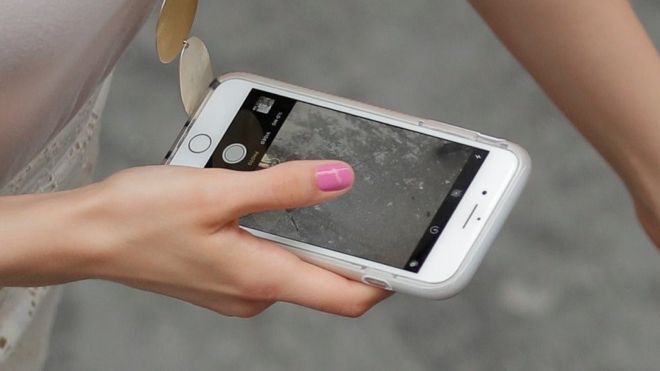
An American woman who had her phone seized by border agents as she returned home to the United States is suing the country's border protection agency.


Rejhane Lazoja was stopped at Newark airport, New Jersey, after returning from a trip to Switzerland in February.


Her iPhone was seized by agents after she refused to unlock it for them.


The lawsuit alleges that border agents took a copy of the data on her smartphone and failed to say whether it had been deleted.


According to legal documents, US Customs and Border Protection (CBP) kept the phone for more than 120 days before returning it to Ms Lazoja.


She alleges the agency failed to confirm whether it had taken a copy of her data, and whether that data had been shared with any other agencies.


The smartphone contained photographs of Ms Lazoja "in a state of undress", as well as private messages from her lawyer.


"Ms Lazoja is a Muslim woman and wears a hijab (a headscarf) in accordance with her religious beliefs. Pursuant to her sincerely held beliefs, Ms Lazoja cannot be seen in a state of undress by men who are not family members," the documents state.


"Neither was there probable cause, nor a warrant [to search the phone]. Therefore, the search and seizure of Ms Lazoja's property violated her rights under the Fourth Amendment," the filing says.


The case will be heard in a New Jersey US district court.


Source: bbc

Windows
Mac OS
iOS
Linux
3uTools
Win 64-bit For this device
V9.01 2025-12-27
Download
Win 32-bit For this device
V9.01 2025-12-27
Download
3uTools
Intel Chip How to Identify Chip Type
V9.01 2025-12-31
Download
Apple Silicon
V9.01 2025-12-31
Download
How to Identify Chip Type
1.  Click the Apple icon in the top-left corner of the screen and select About This Mac.
2.  Check the Processor or Chip field to determine if it is "Intel" or "Apple".
Please use the 3uTools PC client to install the iOS client:
1、 Install either the Windows or Mac version of 3uTools on your computer
2、 Open the PC client and connect your device to the computer via USB cable
3、 After the connection is successful, wait for the computer to automatically install the mobile app for the device, or locate “Install Mobile App” on the computer and manually click to install.
3uTools
deb file
V3.01 2025-11-20
Download
rpm file
V3.01 2025-11-20
Download
Windows
Windows
iOS
iOS
Android
Android
TV
TV
3uAirPlayer
Win 64-bit For this device
V6.0.2 2025-11-19
Download
Win 32-bit For this device
V6.0.2 2025-11-19
Download
iOS Device Mirroring (No App Required)
1、 Install 3uAirPlayer on the Windows PC
2、 Open Control Center and select Screen Mirroring
3、 From the list, choose your PC to start mirroring
4、 Or connect your iOS device to the PC via USB to begin mirroring
Scan to get "3uAirPlayer" App
3uAirPlayer TV V1.0.18
2025-11-28
TV System Requirements: Android 7.0 or later
Download the TV installation package, copy it to a USB drive, insert it into your TV or set-top box, then select the file from the home screen to install.