 NEWS
NEWS
Citizens Hold Apple Theft Suspects in a California Apple Store
 08/22/2018
 3313
3313
Five suspects are due to appear in court today after allegedly stealing $18,000 in iPhones and laptops from an Apple store in Thousand Oaks, California, police said. Authorities are investigating whether the suspects are also responsible for a string of other recent robberies at California Apple stores.
Five people ages 19 to 26 were arrested in connection with the alleged robbery on Sunday afternoon, the Thousand Oaks Police Department said in a statement. The suspects had allegedly entered the store wearing sweatshirts with the hoods up as they grabbed merchandise, according to police. A group of customers helped apprehend two of the suspects at the Thousand Oaks store by holding them down as they attempted to flee, police said.
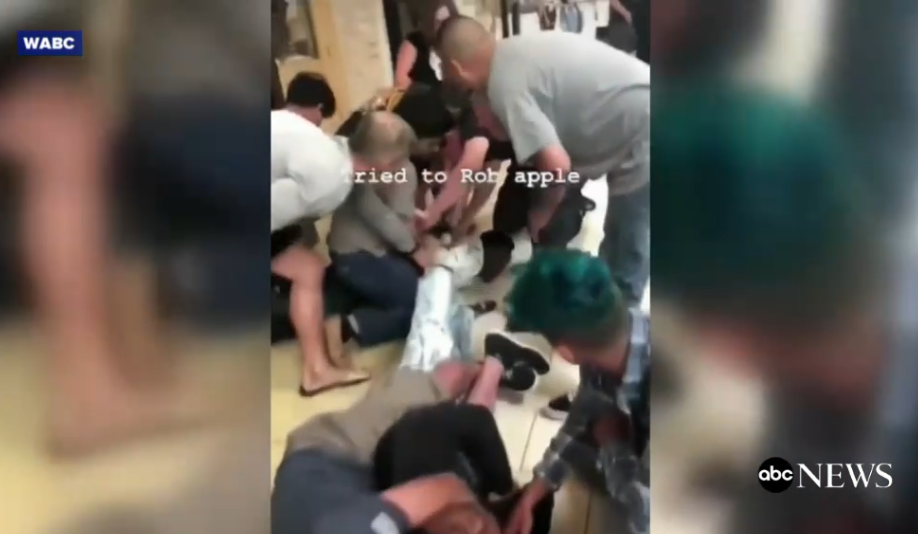
Captain Garo Kuredjian from the Ventura County Sheriff’s Department is said he’s happy the shoppers got involved after three men walked into an Apple store at the Oaks Mall in Thousand Oaks and started snatching goods.
“These items are relatively small and very expensive so if they get away with a few things in their hands these are very easy to transfer into cash,” said Kuredjian.
It’s a scene we have seen up and down the state: in Fresno last month four men took more than $30,000 worth of merchandise from an Apple store in less than a minute. In Costa Mesa a couple weeks later the same thing. And a customer snapped a photo in Valencia of four people running out with computers as well.
“They’re actually targeting these Apple stores because of what they have there and there’s a network in place to sell these on the secondary market,” said Kuredjian.
Detectives believe at least two stores were targeted Sunday. First, an Apple store in Northridge was hit at 1 p.m. — $10,000 worth of products were taken. Two hours later detectives believe the same men came to Thousand Oaks but this time customers tackled two of them.
Deputies pulled over the third in a get-away car leaving the mall. Detectives arrested three men and two women believed to be in the getaway car. Four are from Northern California. The fifth suspect is from Fresno.
Investigators believe this wasn’t their first day. They say this group has been doing this for weeks, which makes the good Samaritans holding down would-be thieves Apple’s newest heroes.
All five suspects are being held in Ventura County for burglary as well as conspiracy to commit burglary.
Source: abcnews










