
NEWS

You Can Now Play Minecraft on Your Apple TV

12/20/2016

4358

During its MacBook event in October, Apple revealed that Minecraft, one of the most popular games in recent history, would soon be available on its living room platform, the Apple TV. At the time, Apple did not offer any other details about the game, but Minecrafters should know the game is finally here. Go ahead, get your Minecraft for Apple TV right now.


The Apple TV Edition of Minecraft will set you back $19.99, but for that price you’re getting some bonus material, including the Ender Update, and seven extra pieces of DLC. Not to mention that Minecraft for Apple TV might be just the Christmas present a special someone deserves.
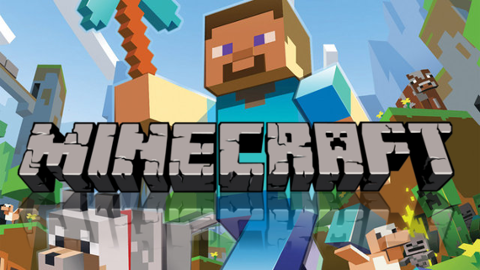

You Can Now Play Minecraft on Your Apple TV


“We’ve just released Minecraft for the slim black boxes. And, for a limited time, it comes with seven pieces of lovely DLC, giving you the chance to customize the fun to your liking,” a post on the Minecraft site revealed.


“Minecraft: Apple TV Edition currently includes the Holiday 2015, Town Folk, and City Folk skin packs, along with the Plastic, Natural, Cartoon, and Festive 2016 mash-ups. It costs $19.99 and is rolling out in all regions as I type.”


On top of all the perks included in this first release for Apple TV, Minecraft said that the tvOS game will receive the same Minecraft Realms and Xbox Live support that’s available elsewhere.


The game should be available in all local App Stores now that it’s officially out. In case you can’t find it on your Apple TV, keep trying until your corner of the world gets the game.


Source: bgr

Windows
Mac OS
iOS
Linux
3uTools
Win 64-bit For this device
V9.0 2025-11-11
Download
Win 32-bit For this device
V9.0 2025-11-11
Download
3uTools
Intel Chip How to Identify Chip Type
V9.0 2025-12-02
Download
Apple Chip
V9.0 2025-12-02
Download
How to Identify Chip Type
1.  Click the Apple icon in the top-left corner of the screen and select About This Mac.
2.  Check the Processor or Chip field to determine if it is "Intel" or "Apple".
Please use the 3uTools PC client to install the iOS client:
1、 Install either the Windows or Mac version of 3uTools on your computer
2、 Open the PC client and connect your device to the computer via USB cable
3、 After the connection is successful, wait for the computer to automatically install the mobile app for the device, or locate “Install Mobile App” on the computer and manually click to install.
3uTools
deb file
V3.01 2025-11-20
Download
rpm file
V3.01 2025-11-20
Download
Windows
Windows
iOS
iOS
Android
Android
TV
TV
3uAirPlayer
Win 64-bit For this device
V6.0.2 2025-11-19
Download
Win 32-bit For this device
V6.0.2 2025-11-19
Download
iOS Device Mirroring (No App Required)
1、 Install 3uAirPlayer on the Windows PC
2、 Open Control Center and select Screen Mirroring
3、 From the list, choose your PC to start mirroring
4、 Or connect your iOS device to the PC via USB to begin mirroring
Scan to get "3uAirPlayer" App
3uAirPlayer TV V1.0.18
2025-11-28
TV System Requirements: Android 7.0 or later
Download the TV installation package, copy it to a USB drive, insert it into your TV or set-top box, then select the file from the home screen to install.




