 NEWS
NEWS
Apple TV's Universal Search Gains More Partners
 12/15/2016
 4194
4194
Apple’s been busy making the Apple TV — and streaming video — less of a “hobby” and more of a legitimate product, so there has been a good deal of work behind the scenes to build it up in recent months. One part is the addition of more partners to its universal search app and the other debut of the new TV app in iOS 10.2.
Universal search is one of the most notable new features of the fourth-generation Apple TV, which now supports more than 50 content partners in the United States. The feature allows Apple TV owners to search for content within the user interface without having to open the particular app, or even have it installed.
Recent additions include Apple Music, Animal Planet, Discovery, TBS, and TNT, joining nearly four dozen others that have debuted over the past year. Now with the new TV app, this functionality is also headed to the iPhone and iPad as well.
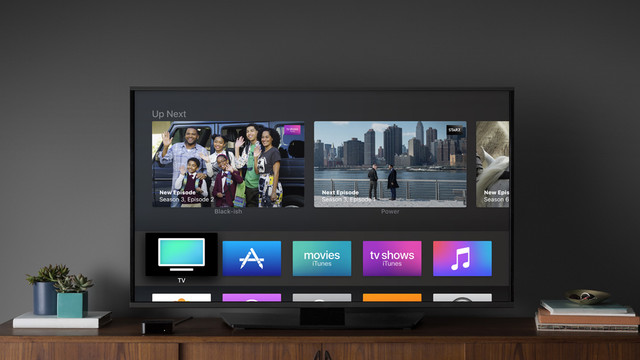
In theory, this is supposed to finally answer the mess caused by dozens of apps all operating separately from one another and sometimes not having the content a competitor has. Well, not so fast.
Universal search notably counts Netflix and Amazon Video as two major providers that do not offer support and its single sign-on functionality to access live video channels is limited, meaning you will have to sign in to watch videos still in many cases — or experience problems trying to connect apps, like Hulu, that support the new TV app like we did in our own tests.
That is disappointing because its experience is nowhere near as seamless as Apple’s demonstrations in October.
It’s also unclear why either Netflix or Amazon Video are holding out from universal search, although the latter could have to do with Amazon’s own streaming video platforms in the Fire. Apple could be biding its time to release a streaming video service of its own — it has often been rumored to be as such.
Either way, while Apple TV owners will find universal search all the more useful and iPad and iPhone owners will gain some important functionality previously only found on the Apple TV. But it certainly feels like it is missing a bit.
Source: digitaltrends










