
NEWS

Apple Must Pay $2 Million to Employees It Screwed Over

12/15/2016

3696

Apple’s former retail employees have come away victorious in their long legal battle against Apple in California.


A jury has ordered Apple to pay $2 million, after the iPhone-maker has found to have illegally denied retail staff meal and rest breaks and took weeks or months to give departing employees their last checks.


The class action lawsuit between Apple and its retail employees has been fought since 2011 when four employees in San Diego filed a class action complaint. The case quickly grew to include 21,000 former and current employees in the state of California.
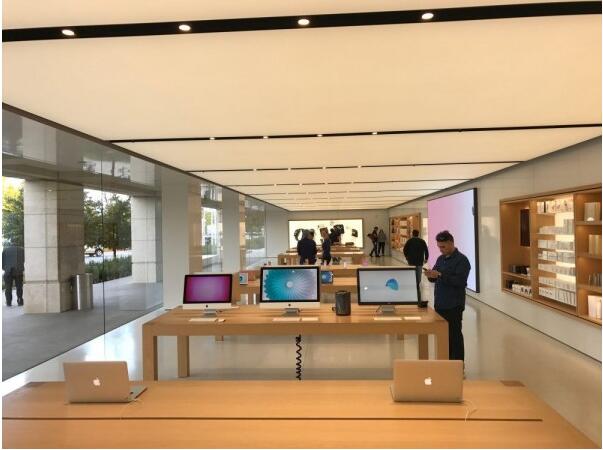

Apple Must Pay $2 Million to Employees It Screwed Over


In the original lawsuit filing, the four employees claimed that Apple policy forbad them from even discussing working conditions.


Despite winning the case, former employees won’t be getting much cash out of it. The $2 million dollars will be put into a fund to pay for the lawyers. Workers will then get a a maximum of $95. A pitance for their problems, but I’m sure employees at Foxconn would love to have shorter break times be the worst of their problems.


Source: cultofmac

Windows
Mac OS
iOS
Linux
3uTools
Win 64-bit For this device
V9.0 2025-11-11
Download
Win 32-bit For this device
V9.0 2025-11-11
Download
3uTools
Intel Chip How to Identify Chip Type
V9.0 2025-12-02
Download
Apple Chip
V9.0 2025-12-02
Download
How to Identify Chip Type
1.  Click the Apple icon in the top-left corner of the screen and select About This Mac.
2.  Check the Processor or Chip field to determine if it is "Intel" or "Apple".
Please use the 3uTools PC client to install the iOS client:
1、 Install either the Windows or Mac version of 3uTools on your computer
2、 Open the PC client and connect your device to the computer via USB cable
3、 After the connection is successful, wait for the computer to automatically install the mobile app for the device, or locate “Install Mobile App” on the computer and manually click to install.
3uTools
deb file
V3.01 2025-11-20
Download
rpm file
V3.01 2025-11-20
Download
Windows
Windows
iOS
iOS
Android
Android
TV
TV
3uAirPlayer
Win 64-bit For this device
V6.0.2 2025-11-19
Download
Win 32-bit For this device
V6.0.2 2025-11-19
Download
iOS Device Mirroring (No App Required)
1、 Install 3uAirPlayer on the Windows PC
2、 Open Control Center and select Screen Mirroring
3、 From the list, choose your PC to start mirroring
4、 Or connect your iOS device to the PC via USB to begin mirroring
Scan to get "3uAirPlayer" App
3uAirPlayer TV V1.0.18
2025-11-28
TV System Requirements: Android 7.0 or later
Download the TV installation package, copy it to a USB drive, insert it into your TV or set-top box, then select the file from the home screen to install.




