
NEWS

Apple Officially Released MacOS Sierra 10.12.2 Updates

12/14/2016

3814

A day after introducing iOS 10.2, Apple releases macOS Sierra 10.12.2. The update promises to resolve the graphics problems affecting the 2016 MacBook Pro line, adds some improvements, and fixes lots of bugs.


Another highlight of macOS Sierra 10.12.2 is that it now supports new installations of Windows 7 and Windows 8 in Boot Camp. The previous version limited users to Windows 10, but the older versions of Windows are still very popular -- and in high demand, apparently with Mac users.
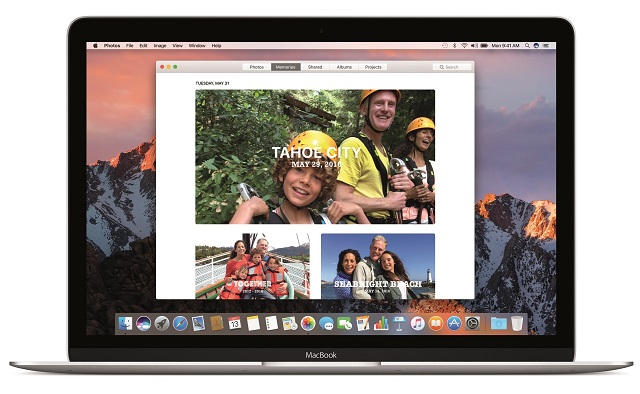

Apple Officially Released MacOS Sierra 10.12.2 Updates


If you want to learn more about installing Windows through Boot Camp. While it's meant for Windows 10, it can be used for Windows 7 and Windows 8 as well.


Another addition is the option to take screenshots of the Touch Bar -- you can do that using the Grab app or by pressing the Cmd, Shift and 6 keys at the same time.


In terms of improvements, Apple lists the setup and reliability of Auto Unlock, audio quality with Bluetooth headphones for Siri and FaceTime, stability of Photos when you create and order books, and the setup and opt-out experience for iCloud Desktop and Documents.


The macOS Sierra 10.12.2 fixes issues related to the Touch Bar emoji picker, System Integrity Protection, Mail, and Safari Extensions. It also fixes security issues, which you can read about on Apple's site. 


The update is available to download now from the App Store. On my MacBook Air, the size is listed at 1.2GB.


Source: betanews


Windows
Mac OS
iOS
Linux
3uTools
Win 64-bit For this device
V9.0 2025-11-11
Download
Win 32-bit For this device
V9.0 2025-11-11
Download
3uTools
Intel Chip How to Identify Chip Type
V9.0 2025-12-02
Download
Apple Chip
V9.0 2025-12-02
Download
How to Identify Chip Type
1.  Click the Apple icon in the top-left corner of the screen and select About This Mac.
2.  Check the Processor or Chip field to determine if it is "Intel" or "Apple".
Please use the 3uTools PC client to install the iOS client:
1、 Install either the Windows or Mac version of 3uTools on your computer
2、 Open the PC client and connect your device to the computer via USB cable
3、 After the connection is successful, wait for the computer to automatically install the mobile app for the device, or locate “Install Mobile App” on the computer and manually click to install.
3uTools
deb file
V3.01 2025-11-20
Download
rpm file
V3.01 2025-11-20
Download
Windows
Windows
iOS
iOS
Android
Android
TV
TV
3uAirPlayer
Win 64-bit For this device
V6.0.2 2025-11-19
Download
Win 32-bit For this device
V6.0.2 2025-11-19
Download
iOS Device Mirroring (No App Required)
1、 Install 3uAirPlayer on the Windows PC
2、 Open Control Center and select Screen Mirroring
3、 From the list, choose your PC to start mirroring
4、 Or connect your iOS device to the PC via USB to begin mirroring
Scan to get "3uAirPlayer" App
3uAirPlayer TV V1.0.18
2025-11-28
TV System Requirements: Android 7.0 or later
Download the TV installation package, copy it to a USB drive, insert it into your TV or set-top box, then select the file from the home screen to install.




