
NEWS

Apple Releases iOS 10.2 and Its Companion TV App

12/13/2016

2959

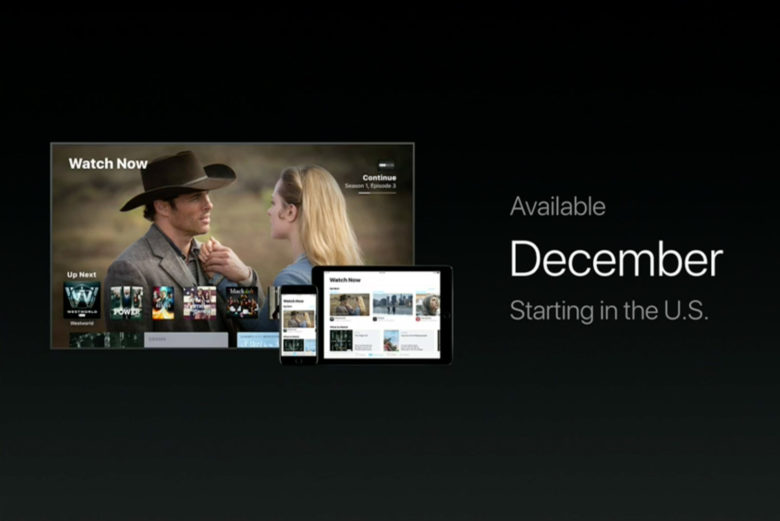
Apple is making good on its promise of giving you a unified video streaming experience. The company has released iOS 10.2 and tvOS 10.1, both of which include the company's centerpiece TV app. So long as a given service supports the feature, you no longer have to jump into and out of apps to catch up on your viewing -- you can resume your favorite show or check out recommendations from a single place. Netflix isn't included in TV at the moment, alas, but this and the recently launched single sign-on should save you a lot of hassle.


Accordingly, Siri is more TV-savvy. You can ask it to continue watching a show on any device. On Apple TV, you can also tell it to watch live news and sports, including a glimpse of what's live at any given moment. And if you're not sure what to watch, Siri can offer recommendations.

Apple Releases iOS 10.2 and Its Companion TV App


The iOS update isn't just a one-trick pony, of course. You'll see improved music controls with quicker access to your queue and shuffling, better stabilization and improved frame rates for Live Photos, a dedicated News app section for saved articles and notifications for smart home devices like smoke detectors and door sensors.


Combine these with general fixes (there's a significant upgrade to Bluetooth performance, for example) and you'll definitely want to upgrade -- if just to see Apple fulfill one of its big end-of-year promises.


Source: Engadget


Windows
Mac OS
iOS
Linux
3uTools
Win 64-bit For this device
V9.0 2025-11-11
Download
Win 32-bit For this device
V9.0 2025-11-11
Download
3uTools
Intel Chip How to Identify Chip Type
V9.0 2025-12-02
Download
Apple Chip
V9.0 2025-12-02
Download
How to Identify Chip Type
1.  Click the Apple icon in the top-left corner of the screen and select About This Mac.
2.  Check the Processor or Chip field to determine if it is "Intel" or "Apple".
Please use the 3uTools PC client to install the iOS client:
1、 Install either the Windows or Mac version of 3uTools on your computer
2、 Open the PC client and connect your device to the computer via USB cable
3、 After the connection is successful, wait for the computer to automatically install the mobile app for the device, or locate “Install Mobile App” on the computer and manually click to install.
3uTools
deb file
V3.01 2025-11-20
Download
rpm file
V3.01 2025-11-20
Download
Windows
Windows
iOS
iOS
Android
Android
TV
TV
3uAirPlayer
Win 64-bit For this device
V6.0.2 2025-11-19
Download
Win 32-bit For this device
V6.0.2 2025-11-19
Download
iOS Device Mirroring (No App Required)
1、 Install 3uAirPlayer on the Windows PC
2、 Open Control Center and select Screen Mirroring
3、 From the list, choose your PC to start mirroring
4、 Or connect your iOS device to the PC via USB to begin mirroring
Scan to get "3uAirPlayer" App
3uAirPlayer TV V1.0.18
2025-11-28
TV System Requirements: Android 7.0 or later
Download the TV installation package, copy it to a USB drive, insert it into your TV or set-top box, then select the file from the home screen to install.




