 NEWS
NEWS
Apple's New Patent Lets VR Zombies Chase You in Your Car
 04/03/2018
 2672
2672
The hardware giant applied for a patent this week that would let passengers in a vehicle experience VR to help alleviate motion sickness and boredom.
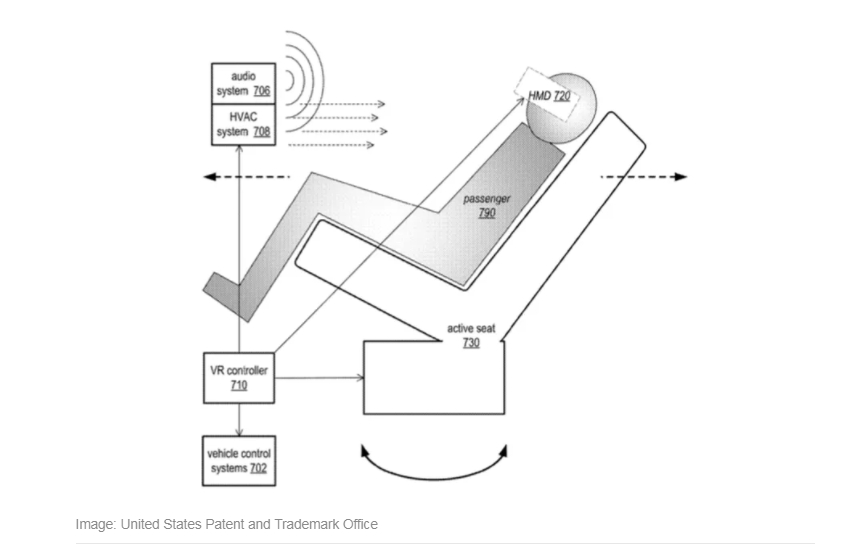
As someone who has never gotten car sick, it's hard to imagine what that must be like. It's even harder to imagine that the cure for it would be getting chased by zombies, but according to a patent application from Apple, that might just do the trick.
Apple's concept envisions using a combination of VR headsets, controllers and projectors to immerse passengers in virtual environments to distract their minds and bodies from the vehicle that is actually moving. Apple also proposes the use of active seats that could read the motion of passengers and use that data to enhance their VR experience.
Among the potential scenarios that Apple mentions are a relaxing hang-gliding adventure, which would see occupants gently wafting on the breeze, exploring an idyllic landscape or the aforementioned zombie chase through a postapocalyptic hellscape.
The experience would be integrated with the drive, for example: "If the vehicle stops at a red light or for some other reason when fleeing zombies, the virtual experience may cause the vehicle to appear to stall and not allow the car to be restarted until the light turns green to build suspense," Apple says in the filing.
The idea seems to be to incorporate this into Apple's Project Titan self-driving car efforts as a way to help beat motion sickness, but it would make a great addition to a regular car, sans projectors of course, to entertain passengers during traffic or on long trips.
Let's all look forward to a time when we don't have to rely on only our questionable music taste, revolting upholstery and horrible driving to terrify our passengers.
Source: cnet










