 NEWS
NEWS
Apple Looks to Open New Stores in Washington D.C. and Scottsdale
 12/13/2016
 4136
4136
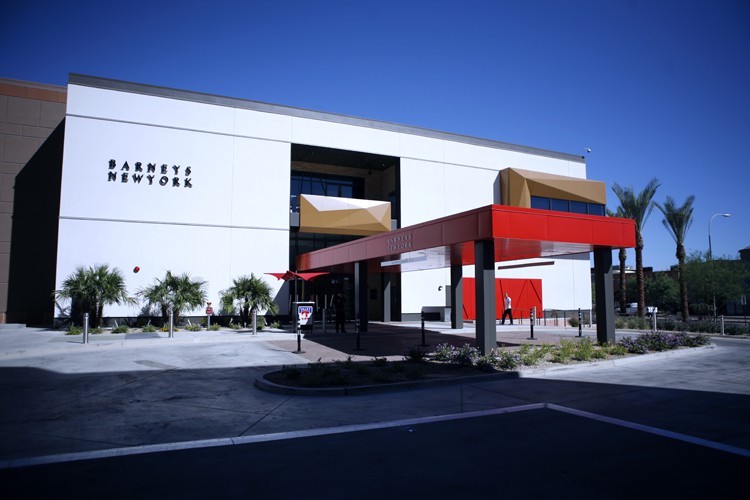
Apple is one of a number of retailers looking at opening a store at Scottsdale Fashion Square, in a 100,000-square-foot wing formerly occupied by Barney's department store.
Barney's department store closed its Fashion Square store earlier this year, providing Apple with an opportunity to secure a large space in the largest shopping mall in the Phoenix area, according to the report. The mall has the second-highest profit per square foot of any U.S. malls, according to owner Macerich.
Scottsdale, an eastern suburb of Phoenix, Arizona, has one existing Apple retail store at Scottsdale Quarter. Apple has four other retail stores in the greater area, including locations at Biltmore in Phoenix, Chandler Fashion Center in Chandler, SanTan Village in Gilbert, and Arrowhead in Glendale.
Meanwhile, Apple has reached an agreement to proceed with opening a flagship store at the historic Carnegie Library in Washington D.C.
Carnegie Library property management Events DC has reportedly proposed a 10-year lease term, with the option for two 5-year extensions. Apple will pay market rent and will give Events DC a payment of "between $1 million and $2 million to offset any losses at the building," the report added.
Carnegie Library is a 113-year-old building located across the street from the Washington Convention Center in Mount Vernon Square. Apple will work with Foster + Partners as it often does to redesign the 63,000-square-foot space, which will be similar to its flagship stores in San Francisco and London.
Washington D.C.'s historical preservation panel would have to approve Apple as a tenant due to the building's historical legacy and importance to the city.
Source: macrumor










