 NEWS
NEWS
New Photos Reveal Massive Apple Campus 2 Near Completion
 12/12/2016
 5624
5624
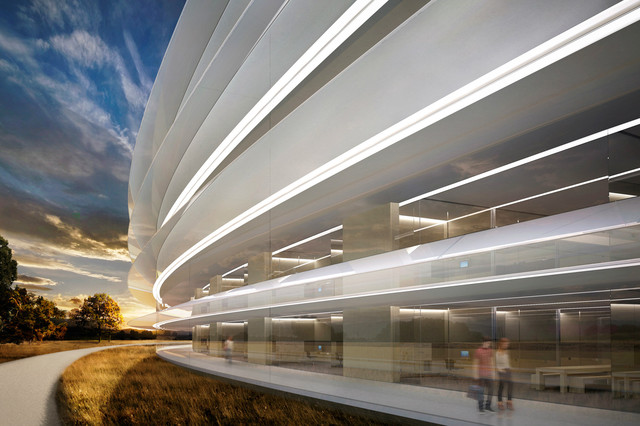
The massive new Apple worship center headquarters in Cupertino is zooming towards completion. We took a look from above last week thanks to new drone footage, and now we have an up-close look at the interiors.
The French Mac-enthusiast site Mac Generation says 5,200 workers are in the facility getting the job done; of particular note are two images for the Caffè Macs cafeteria. The site noted that “the doors of the ‘Caffè Macs’ are huge (curved) arrays composed of 10 glass pieces each. They will open on the outside, like the big Apple Store doors in San Francisco city center.” Fresh air will then stream in.
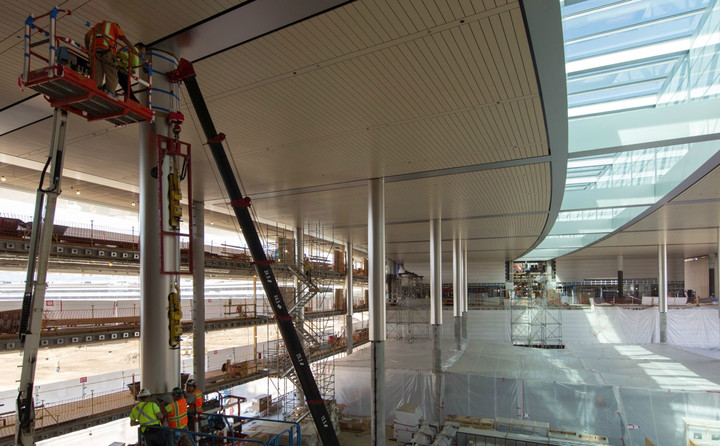
Digital Spy says the restaurant will hold around 2,800 employees. Outdoor seating areas will accommodate up to 4,000 more.
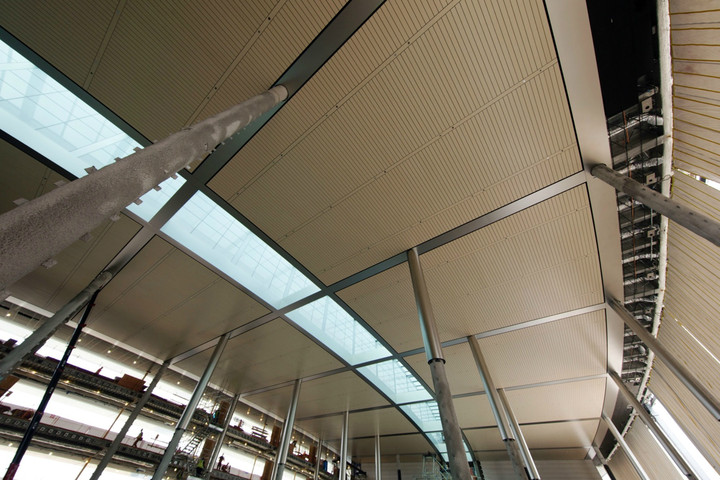
This is one of 59 skylights on the roof, allowing light to give it the open-air, “green” effect.
Mac Generation thinks this sleeve in the wall is “made of the same marble as the grand staircase of the new Apple Store in Regent Street” and contains speakers. Well, of course it does. No doubt linked to iTunes or Apple Music.
The site also mentions touches such as trees that were “pampered” in a nursery prior to arriving on site. Some 3,000 of them will dot the lush complex. Reports suggest that the new Campus will have underground parking, meaning as much as 80 percent of the site can be dotted in trees rather than paved lots.
The new Campus 2 is officially scheduled to open sometime in 2017, although Business Insider says “early next year,” which seems questionable given the still-unfinished state of the interior. And just imagine the wiringneeded for this one, which will no doubt be the world’s most expensive Wi-Fi hotspot.The $5 billion dollar brainchild of the late Steve Jobs has been in the works since 2011. CEO Tim Cook calls it a “gift” to future Apple employees.
Source: digitaltrends










