 NEWS
NEWS
Proposal in Paris to Name Street With Steve Jobs
 12/05/2016
 4580
4580
A politician in Paris has proposed that a street in the city be named after the late Apple CEO Steve Jobs. Jerome Coumet, a member of the Socialist Party and mayor of the 13th district in Paris, suggested that four lanes surrounding the Halle Freyssinet area be named after Steve Jobs.
Halle Freyssinet is an area of the 13th district that is being constructed to be a startup incubator, with the city planning to hold 1,000 startups on the campus. The name proposals for the street are all technological pioneers.
The reaction to Coumet’s suggestion to name the surrounding lanes after Steve Jobs hasn’t gone without controversy, though. Elected members of the Communist Party have expressed disdain of the idea, pointing to working conditions in China and tax controversies as their reasoning.
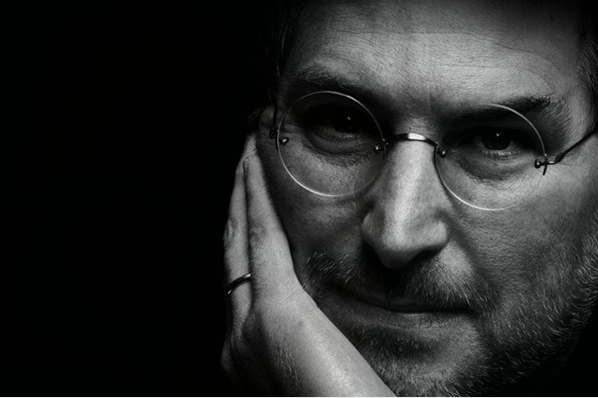
In a statement, the Communist Party explained Apple’s manufacturers in China are “known for abusing inadequate wages and forced overtime.” Apple’s primary manufacturer in China is Foxconn, which has been under scrutiny throughout recent years for working conditions and other factors.
Furthermore, the statement points to Apple’s tax battle in Ireland as reasoning for “Steve Jobs” not being an appropriate name for a street in Paris. “The legacy of Steve Jobs is also in the massive illegal tax optimization practices," the council wrote.
For its part, the Communist Party suggests that the street be named after Ada Lovelace, an English mathematician best known for her work in IT and creating first computer program.Firstly because the city is trying to promote parity in street names. For too long, women have been the great forgotten history. This injustice must be repaired and can now by giving them priority in the new denominations.The elected representatives communists and made a joint proposal by replacing Steve Jobs by Ada Lovelace, a pioneer of IT, known for creating the first computer program. A real conceptual breakthrough that contributed to the advent of more than a century after computing.
Source: 9to5Mac










