NEWS

Save Big on An Unlocked iPhone 6s With this Early Cyber Monday Deal

11/28/2016

3908

Save Big on An Unlocked iPhone 6s With this Early Cyber Monday Deal


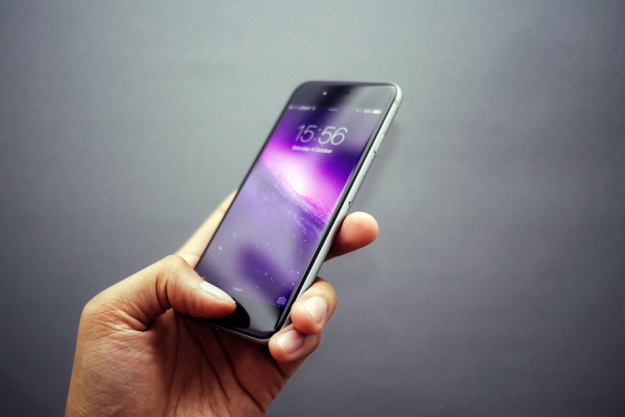
Amazon has a number of solid early Cyber Monday 2016 deals cued up for you today (check them all out right here), but this iPhone sale has to be the star of the show on Saturday: you can save as much as $155 on an unlocked iPhone 6s with up to 128GB of storage. This big sale on refurbished iPhones is your perfect chance to get your hands on a smartphone that is still more powerful than just about any other device out there. Seriously, this year’s flagship Android phones still aren’t as fast as the iPhone 6s.


Looking for a sleek new smartphone for yourself or a loved one ahead of the holidays? Check out Amazon’s big iPhone 6s sale, which covers three different iPhone 6s models.


Here are some quick notes about the iPhone 6s, and about certified refurbished smartphones on Amazon:

  • A Certified Refurbished product has been tested and certified to work and look like new, with minimal to no signs of wear, by a manufacturer or specialized third-party seller approved by Amazon. The product is backed by a minimum 90-day warranty, and may arrive in a generic brown or white box with generic accessories.

  • iPhone 6s is powered by the custom-designed 64-bit A9 chip.- delivers 70% more CPU performance

  • 4.70-inch touchscreen display with a resolution of 750 pixels by 1334 pixels at a PPI of 326

  • Wi-Fi 802.11 a/b/g/n/ac, dual-band, Wi-Fi hotspot, Bluetooth: v4.2, A2DP, LE, USB: v2.0, reversible connector, GPS: with A-GPS, GLONASS

  • Browser: HTML (Safari), Messaging: iMessage, SMS (threaded view), MMS, Email, Push Email


Source: BGR



Windows
Mac OS
iOS
Linux
3uTools
Win 64-bit For this device
V9.0 2025-11-11
Download
Win 32-bit For this device
V9.0 2025-11-11
Download
3uTools
Intel Chip How to Identify Chip Type
V9.0 2025-12-02
Download
Apple Chip
V9.0 2025-12-02
Download
How to Identify Chip Type
1.  Click the Apple icon in the top-left corner of the screen and select About This Mac.
2.  Check the Processor or Chip field to determine if it is "Intel" or "Apple".
Please use the 3uTools PC client to install the iOS client:
1、 Install either the Windows or Mac version of 3uTools on your computer
2、 Open the PC client and connect your device to the computer via USB cable
3、 After the connection is successful, wait for the computer to automatically install the mobile app for the device, or locate “Install Mobile App” on the computer and manually click to install.
3uTools
deb file
V3.01 2025-11-20
Download
rpm file
V3.01 2025-11-20
Download
Windows
Windows
iOS
iOS
Android
Android
TV
TV
3uAirPlayer
Win 64-bit For this device
V6.0.2 2025-11-19
Download
Win 32-bit For this device
V6.0.2 2025-11-19
Download
iOS Device Mirroring (No App Required)
1、 Install 3uAirPlayer on the Windows PC
2、 Open Control Center and select Screen Mirroring
3、 From the list, choose your PC to start mirroring
4、 Or connect your iOS device to the PC via USB to begin mirroring
Scan to get "3uAirPlayer" App
3uAirPlayer TV V1.0.18
2025-11-28
TV System Requirements: Android 7.0 or later
Download the TV installation package, copy it to a USB drive, insert it into your TV or set-top box, then select the file from the home screen to install.