
NEWS

iOS 11.1.2 Is Here With the Cold Weather iPhone X Bug Fix

11/17/2017

3348

As the famous Game of Thrones saying goes: Winter is coming, so make sure you download the latest iOS update that patches the cold weather bug fix.


All bad pop-culture references aside, this something you’ll actually want to do. iOS 11.1.2 is available for download right now in 3uTools, and it patches a bug that was causing iPhones to become unresponsive in cold weather. Hopefully, this will be the last we hear of “Coldgate,” as luckily for Apple, it looks like this was a software problem rather than hardware.


As the name would suggest, the cold-weather bug was that some iPhone X displays would become unresponsive after a sudden drop in temperature — say, walking outside from a heated room into near-freezing temperatures.
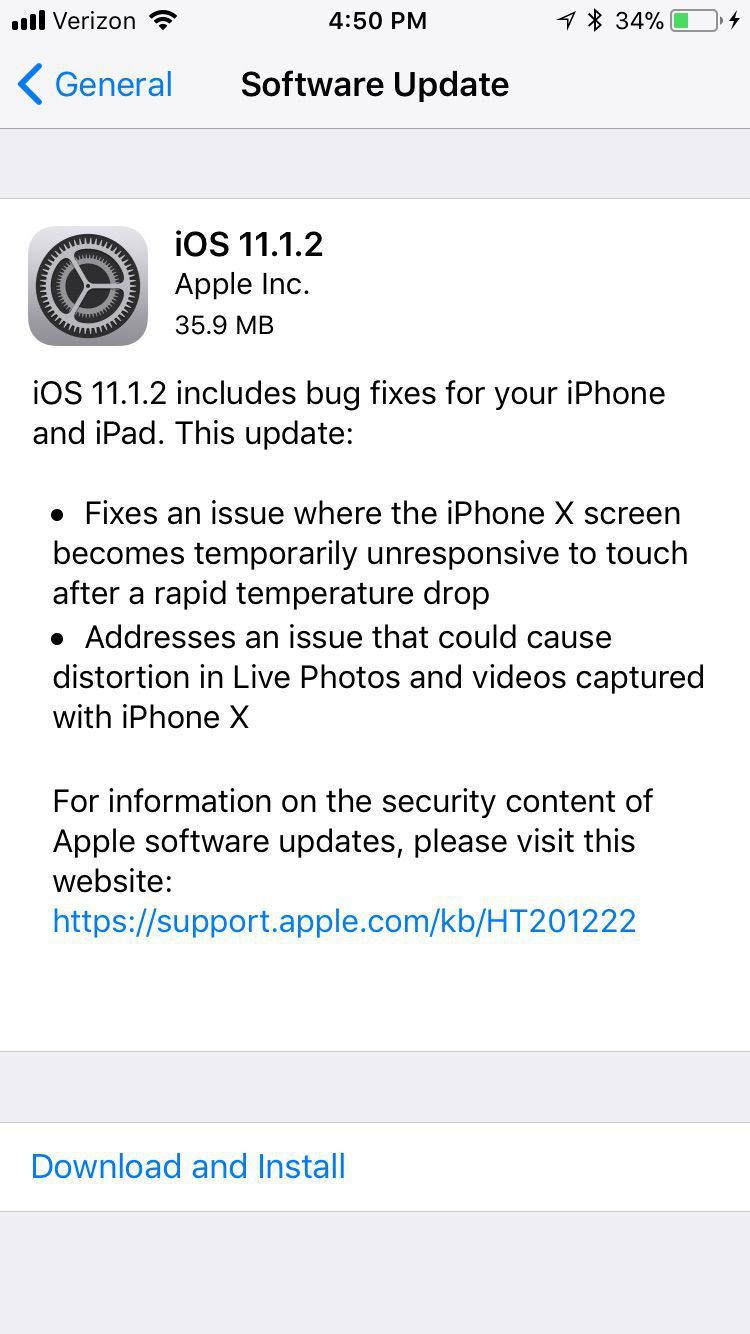

iOS 11.1.2 Is Here With the Cold Weather iPhone X Bug Fix


iOS 11.1.2 includes bug fixes for your iPhone and iPad. This update:

Fixes an issue where the iPhone X screen becomes temporarily unresponsive to touch after a rapid temperature drop

Addresses an issue that could cause distortion in Live Photos and videos captured with iPhone X


As ever, iOS updates can be downloaded over-the-air using your iPhone or iPad. Just go to Settings –> General –> Software Update, and you should see an option to download and install the patch.


iOS 11.1.2 is just a temporary patch. All the new iOS 11 features we’re still waiting for, like Apple Pay Cash, will be coming in iOS 11.2. That software is already in beta testing, and we’re hoping to see the features go live in the near future.


Source: bgr

Windows
Mac OS
iOS
Linux
3uTools
Win 64-bit For this device
V9.01 2025-12-27
Download
Win 32-bit For this device
V9.01 2025-12-27
Download
3uTools
Intel Chip How to Identify Chip Type
V9.0 2025-12-02
Download
Apple Silicon
V9.0 2025-12-02
Download
How to Identify Chip Type
1.  Click the Apple icon in the top-left corner of the screen and select About This Mac.
2.  Check the Processor or Chip field to determine if it is "Intel" or "Apple".
Please use the 3uTools PC client to install the iOS client:
1、 Install either the Windows or Mac version of 3uTools on your computer
2、 Open the PC client and connect your device to the computer via USB cable
3、 After the connection is successful, wait for the computer to automatically install the mobile app for the device, or locate “Install Mobile App” on the computer and manually click to install.
3uTools
deb file
V3.01 2025-11-20
Download
rpm file
V3.01 2025-11-20
Download
Windows
Windows
iOS
iOS
Android
Android
TV
TV
3uAirPlayer
Win 64-bit For this device
V6.0.2 2025-11-19
Download
Win 32-bit For this device
V6.0.2 2025-11-19
Download
iOS Device Mirroring (No App Required)
1、 Install 3uAirPlayer on the Windows PC
2、 Open Control Center and select Screen Mirroring
3、 From the list, choose your PC to start mirroring
4、 Or connect your iOS device to the PC via USB to begin mirroring
Scan to get "3uAirPlayer" App
3uAirPlayer TV V1.0.18
2025-11-28
TV System Requirements: Android 7.0 or later
Download the TV installation package, copy it to a USB drive, insert it into your TV or set-top box, then select the file from the home screen to install.




