 NEWS
NEWS
Named the Main Problem of the Future iPhone 8
 11/21/2016
 4521
4521
The iPhone 7 and iPhone 7 Plus just went on sale, but sources and analysts are already discussing the features of the next generation of “Apple” devices. According to rumors, the 2017 Apple will introduce a fundamentally new iPhone 8, and it will come not in two versions, as a precursor, and in three.
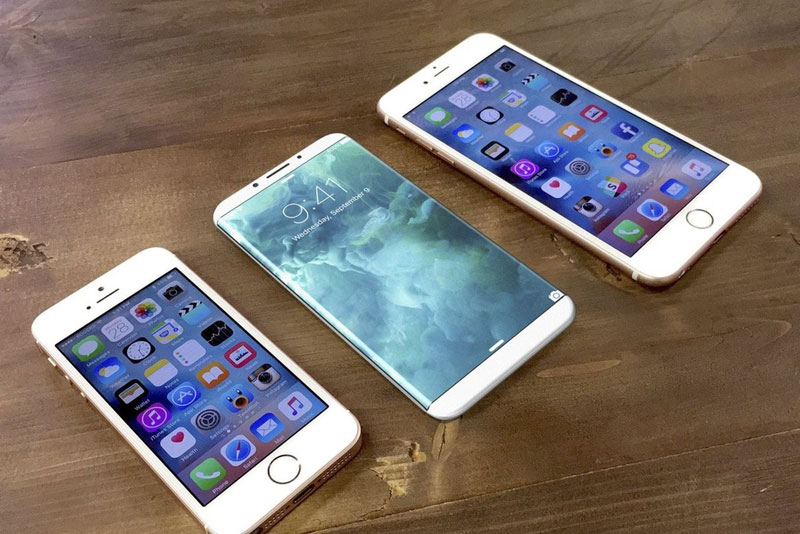
Apple will release three versions of the iPhone 8: classic a 4.7 – and 5.5-inch model will complement the new variant with 5-inch display. The so-called iPhone 8 Plus will feature acurved two sides Super AMOLED display, while the other two models will be LTPS LCD flat screens, as the iPhone 7.
All three versions of the iPhone 8 will be clad in glass case and get the display “edge to edge”. As noted by network sources, the upcoming model will maximize the use of the front panel. And it will have a huge screen, but there is no Home button, speaker, fingerprint scanner.
A similar device released by Xiaomi company has done a lot of noise. On pictures smartphone called the Mi Mix looks really impressive. Device without frames around the screen and some auxiliary elements. And more than 90% of the front panel of the smartphone is it’s display.
The smartphone does not react to accidental pressing at the sides, something many have feared. However, as expected, in this display apparatus is not able to withstand the fall without consequences. In the pictures below you can see that the monitor is damaged as a result of falling on a soft linoleum.
If Apple plans to release iPhone 8 frameless, she will have to find a way to protect the novelty of such damages.
Source:actualapple










