 NEWS
NEWS
iPhone With Apple Pencil Support Could Launch 'As Early As 2019'
 10/16/2017
 3010
3010
Apple is reportedly "mulling" the idea of launching a stylus compatible with iPhone, believed to be a new iteration of the Apple Pencil, which is currently only supported by the iPad Pro. The rumor comes from industry sources speaking to The Korea Herald (via The Investor), which claimed that Apple engineers "have recently been working" on a new iPhone device that "comes with a digital pen," aiming for a potential launch in 2019.
The sources said that the iPhone stylus is likely to adopt a "supercapacitor stylus type" for price benefits, contrasting with Samsung's Galaxy Note pen which is based on electromagnetic resonance technology that needs additional panel components to be installed underneath the smartphone display. "A supercapacitor type is cheaper to make compared to the EMR stylus. It also offers a more pen-like feel," according to the industry sources.
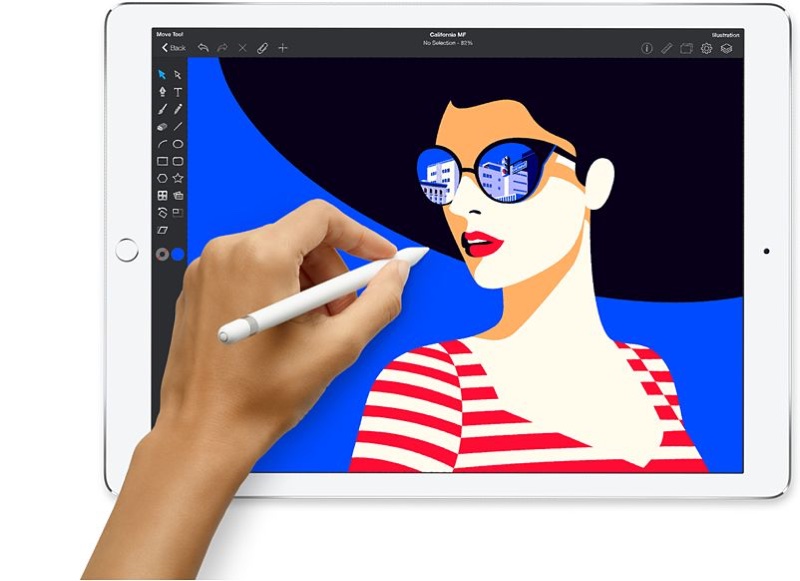
Notably, Apple's current A-series chip would see a "drastic upgrade" as well in order to fuel a better handwriting experience for the stylus on iPhone.
Apple is mulling something that its late founder Steve Jobs had outright rejected -- adding a stylus to its iPhone, according to industry sources on Oct. 13.
“Apple is preparing to launch the phone as early as 2019,” an industry source told The Investor on condition of anonymity. “It is also in talks with a couple of stylus makers for a partnership.”
The Apple Pencil launched nearly two years ago in November 2015 alongside the 12.9-inch iPad Pro. Apple's first stylus was designed specifically to work with the iPad Pro, and gives users the feel of using a real pen or pencil with sensors that determine the orientation and angle of the Apple Pencil, and pressure sensitivity allowing for darker or lighter pen strokes.
Former Apple CEO Steve Jobs was famously against launching a stylus for iPhones, during the original iPhone event stating: "Who wants a stylus? You have to get them, and put them away, and you lose them, yuck. Nobody wants a stylus."
Apple executives and current CEO Tim Cook have repeatedly avoided referring to Apple Pencil as a "stylus" over the years, with Cook commenting in an interview last year that "we launched a pencil not a stylus." The Apple CEO further stated, "I think that Steve would have loved" the Apple Pencil, and even gave early mention of a pencil device potentially supporting iPhones in the future: "if you’ve ever seen what can be created on an iPhone or an iPad with that pencil is really unbelievable."
Source: macrumors










