
NEWS

Apple Says Fix Coming for iPhone 8 Static Noise

09/27/2017

2855

Apple on Tuesday issued a statement confirming a small number of iPhone 8 handsets suffer from an audio glitch that causes a "crackling" noise during phone calls, saying a fix for the problem is in the works. 
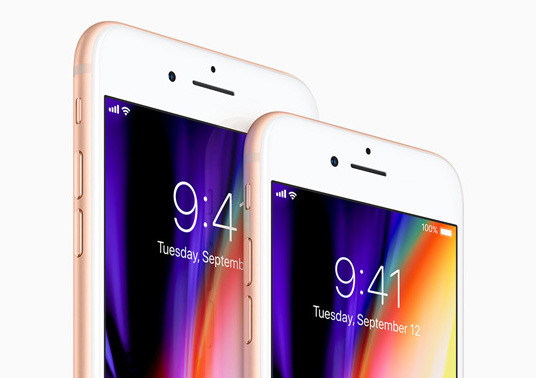

Apple Says Fix Coming for iPhone 8 Static Noise


In the days following last week's iPhone 8 launch, a number of new owners have reported the audio bug to Apple's Support Pages forum (1, 2) and Reddit's iPhone subreddit, saying their new device emits a "crackling" or "static" noise from its ear speaker. 


Apple commented on the matter in a statement to The Verge, saying, "We are aware of the issue which is affecting customers in a small number of cases. Our team is at work on a fix, which will be included in an upcoming software release."


The company failed to elaborate on the bug's cause. 


A number of users have experienced the issue, however, and in each case the iPhone 8 in question emits a high-pitched crackling sound while on a phone call or FaceTime Audio call. The problem does not manifest in every call, and is not present when using the earpiece as a loudspeaker for speakerphone connections. Further, both iPhone 8 and iPhone 8 Plus units are affected by the issue.


The symptoms suggest software, not hardware, is to blame for the crackling noise, meaning a firmware update will likely rectify the situation. 


Apple failed to offer a timeline on the coming fix, though the company just today released iOS 11.0.1 to squash a number of bugs.


Source: appleinsider


Windows
Mac OS
iOS
Linux
3uTools
Win 64-bit For this device
V9.0 2025-11-11
Download
Win 32-bit For this device
V9.0 2025-11-11
Download
3uTools
Intel Chip How to Identify Chip Type
V9.0 2025-12-02
Download
Apple Silicon
V9.0 2025-12-02
Download
How to Identify Chip Type
1.  Click the Apple icon in the top-left corner of the screen and select About This Mac.
2.  Check the Processor or Chip field to determine if it is "Intel" or "Apple".
Please use the 3uTools PC client to install the iOS client:
1、 Install either the Windows or Mac version of 3uTools on your computer
2、 Open the PC client and connect your device to the computer via USB cable
3、 After the connection is successful, wait for the computer to automatically install the mobile app for the device, or locate “Install Mobile App” on the computer and manually click to install.
3uTools
deb file
V3.01 2025-11-20
Download
rpm file
V3.01 2025-11-20
Download
Windows
Windows
iOS
iOS
Android
Android
TV
TV
3uAirPlayer
Win 64-bit For this device
V6.0.2 2025-11-19
Download
Win 32-bit For this device
V6.0.2 2025-11-19
Download
iOS Device Mirroring (No App Required)
1、 Install 3uAirPlayer on the Windows PC
2、 Open Control Center and select Screen Mirroring
3、 From the list, choose your PC to start mirroring
4、 Or connect your iOS device to the PC via USB to begin mirroring
Scan to get "3uAirPlayer" App
3uAirPlayer TV V1.0.18
2025-11-28
TV System Requirements: Android 7.0 or later
Download the TV installation package, copy it to a USB drive, insert it into your TV or set-top box, then select the file from the home screen to install.




