
NEWS

Apple’s New Madison Store in the Hilldale Shopping Center

08/15/2017

2652

With little fanfare, Apple’s newest Wisconsin retail location opened this past weekend at the outdoor Hilldale Shopping Center in Madison. The new 10,000 sq. ft. space replaces Apple’s previous indoor Madison location in the aging West Towne Mall, 10 minutes away.
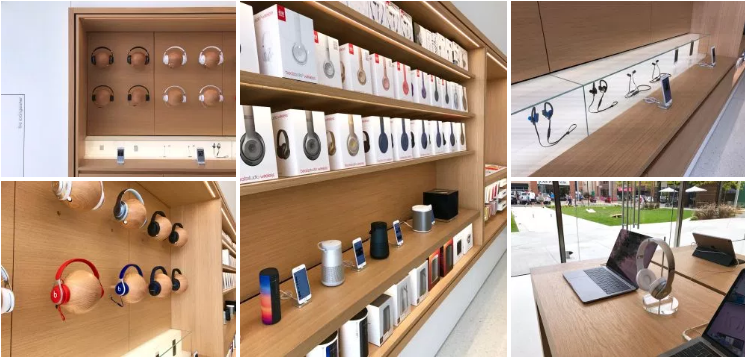

Apple’s New Madison Store in the Hilldale Shopping Center


Apple Hilldale is closer in proximity to the University of Wisconsin-Madison, and centrally located next to University Book Store. The shopping center has transformed a new green space into a modern courtyard anchored by Apple, and will likely be a popular meeting and relaxation area. I paid a visit to the new location over the weekend and brought back some photos to share below.
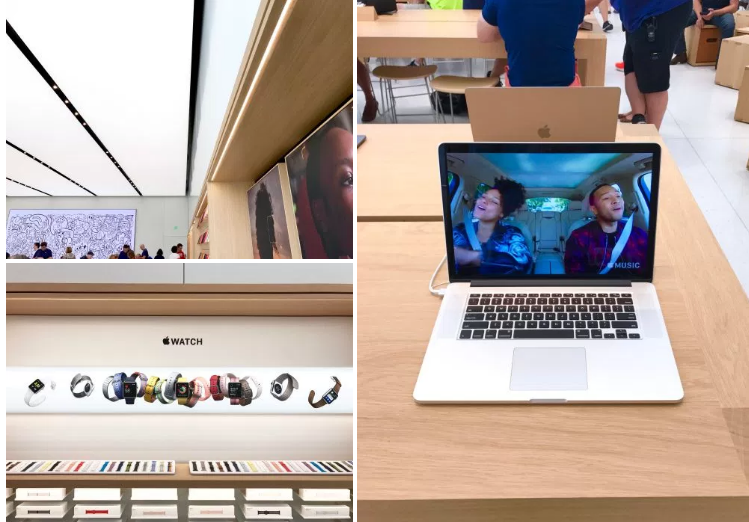

Apple’s New Madison Store in the Hilldale Shopping Center


Apple’s Madison location isn’t the first in the state to receive a complete modern redesign. Last September, Apple Mayfair in Wauwautosa reopened in a new, larger space sporting Apple’s new retail design. Apple Hilldale follows suit, but with large, floor-to-ceiling windows that flood the space with natural light not possible in an indoor mall. Angela Ahrendts, Apple’s SVP of retail, has pushed new in-store initiatives such as “Today At Apple” which take advantage of the store layouts first previewed in 2015.
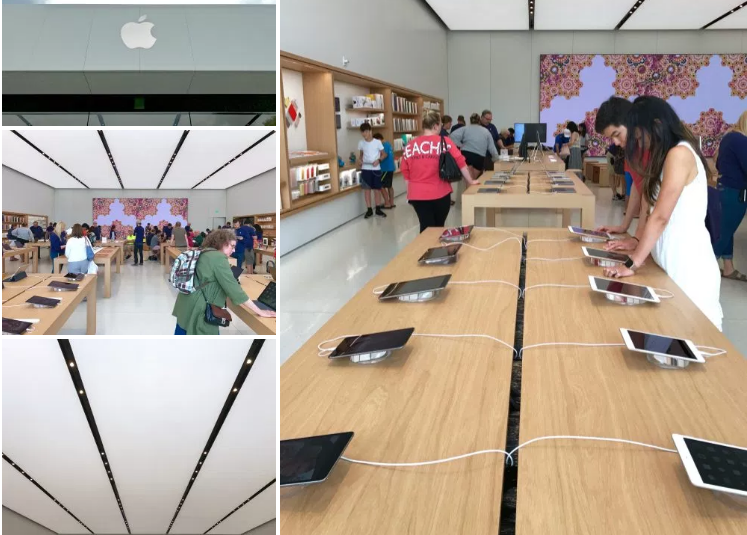

Apple’s New Madison Store in the Hilldale Shopping Center

Source: 9to5mac

Windows
Mac OS
iOS
Linux
3uTools
Win 64-bit For this device
V9.0 2025-11-11
Download
Win 32-bit For this device
V9.0 2025-11-11
Download
3uTools
Intel Chip How to Identify Chip Type
V9.0 2025-12-02
Download
Apple Silicon
V9.0 2025-12-02
Download
How to Identify Chip Type
1.  Click the Apple icon in the top-left corner of the screen and select About This Mac.
2.  Check the Processor or Chip field to determine if it is "Intel" or "Apple".
Please use the 3uTools PC client to install the iOS client:
1、 Install either the Windows or Mac version of 3uTools on your computer
2、 Open the PC client and connect your device to the computer via USB cable
3、 After the connection is successful, wait for the computer to automatically install the mobile app for the device, or locate “Install Mobile App” on the computer and manually click to install.
3uTools
deb file
V3.01 2025-11-20
Download
rpm file
V3.01 2025-11-20
Download
Windows
Windows
iOS
iOS
Android
Android
TV
TV
3uAirPlayer
Win 64-bit For this device
V6.0.2 2025-11-19
Download
Win 32-bit For this device
V6.0.2 2025-11-19
Download
iOS Device Mirroring (No App Required)
1、 Install 3uAirPlayer on the Windows PC
2、 Open Control Center and select Screen Mirroring
3、 From the list, choose your PC to start mirroring
4、 Or connect your iOS device to the PC via USB to begin mirroring
Scan to get "3uAirPlayer" App
3uAirPlayer TV V1.0.18
2025-11-28
TV System Requirements: Android 7.0 or later
Download the TV installation package, copy it to a USB drive, insert it into your TV or set-top box, then select the file from the home screen to install.





