 NEWS
NEWS
iPhone 8: Top 5 Likely Killer Specs
 08/14/2017
 4024
4024
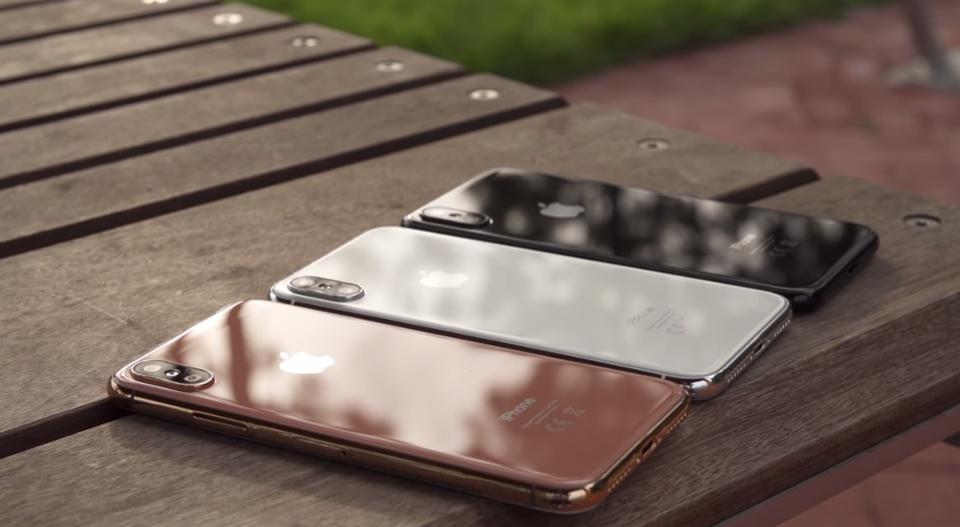
Five best features of the iPhone 8 that's (almost) here:
(1) 5.8-inches: borderless is better (and it's the future, anyway): less (bezel) means more (display). To date, big screens on the iPhone meant a big chassis. But the iPhone 8 is expected to have a much larger display (usable display area) than the 4.7-inch iPhone 7 despite being only slightly larger overall. That's due to the elimination of the bezels thanks to an edge-to-edge OLED display -- which should make the iPhone 8 pretty irresistible, even with an expected $1,000-plus price.
(2) OLED -- above and beyond LCD: Apple uses superb LCDs on its iPhones. But even the best LCD can't match an OLED display. I'm reminded of that every day when I switch between my iPhone 7 Plus (LCD) and Google Pixel XL (OLED). Technical niceties aside, the Pixel XL's screen is a lot more pleasing to the eye. And technically OLEDs are quickly surpassing LCDs in capabilities and quality. And, down the road, OLED iPhones will be curved and maybe even folded -- which doesn't appear to be a commercial possibility with LCDs.
(3) Face ID: I use facial recognition on three 2017 Windows portables: it's fast and hands free. On my HP laptops it's instantaneous. If the iPhone 8 is that fast, it will be a godsend. (Note: on my tablet it's more problematic if it's not in a fixed position on a flat surface.) And other facial-recognition goodies may include the ability to "suppress notification sounds if you're looking at it," according to Guilherme Rambo, a software developer.
(4) Think Apple Watch: a glass body will be wrapped in a polished stainless steel frame. Not unlike the Apple Watch. That's a change that consumers will likely be paying more for though.
(5) Camera: let's not forget an improved camera: "Leaked" code hints at front and rear cameras capable of recording 4K video at 60 frames per second. And of course there will be other camera improvements that will continue to render stand-alone DSLRs obsolete for most consumers.
Source: Forbes










