
NEWS

TransferWise Now Supports Apple Pay For U.S. Dollar Transfers

07/28/2017

2590

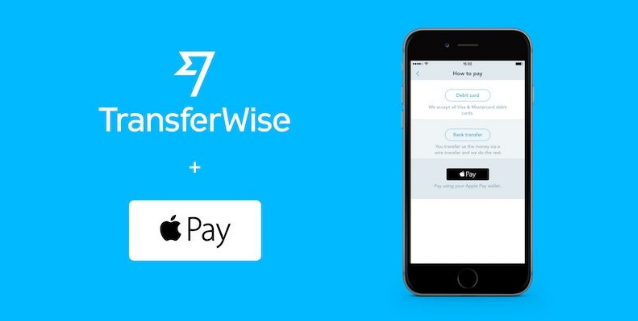
TransferWise has updated its iPhone and iPad app this week with Apple Pay support for U.S. dollar transfers. 


Now, users can simply add a debit or credit card to the Wallet app and select it as a payment method in the TransferWise app. 

TransferWise said Apple Pay integration is also being rolled out in Australia, Switzerland, France, Spain, Ireland, and Italy, according to 
Reuters. Apple Pay is already supported for British pound transfers. 

TransferWise Now Supports Apple Pay For U.S. Dollar Transfers


TransferWise is a London-based startup that provides foreign currency exchange using real mid-market rates. It charges a transfer fee of 0.5 to 1.5 percent for most currencies, which is often significantly cheaper than banks. 

TransferWise version 3.1.2 is available as a free update on the App Store  for iPhone and iPad.


Source: macrumors

Windows
Mac OS
iOS
Linux
3uTools
Win 64-bit For this device
V9.0 2025-11-11
Download
Win 32-bit For this device
V9.0 2025-11-11
Download
3uTools
Intel Chip How to Identify Chip Type
V9.0 2025-12-02
Download
Apple Silicon
V9.0 2025-12-02
Download
How to Identify Chip Type
1.  Click the Apple icon in the top-left corner of the screen and select About This Mac.
2.  Check the Processor or Chip field to determine if it is "Intel" or "Apple".
Please use the 3uTools PC client to install the iOS client:
1、 Install either the Windows or Mac version of 3uTools on your computer
2、 Open the PC client and connect your device to the computer via USB cable
3、 After the connection is successful, wait for the computer to automatically install the mobile app for the device, or locate “Install Mobile App” on the computer and manually click to install.
3uTools
deb file
V3.01 2025-11-20
Download
rpm file
V3.01 2025-11-20
Download
Windows
Windows
iOS
iOS
Android
Android
TV
TV
3uAirPlayer
Win 64-bit For this device
V6.0.2 2025-11-19
Download
Win 32-bit For this device
V6.0.2 2025-11-19
Download
iOS Device Mirroring (No App Required)
1、 Install 3uAirPlayer on the Windows PC
2、 Open Control Center and select Screen Mirroring
3、 From the list, choose your PC to start mirroring
4、 Or connect your iOS device to the PC via USB to begin mirroring
Scan to get "3uAirPlayer" App
3uAirPlayer TV V1.0.18
2025-11-28
TV System Requirements: Android 7.0 or later
Download the TV installation package, copy it to a USB drive, insert it into your TV or set-top box, then select the file from the home screen to install.




