NEWS

Apple Imagines AR Glasses that Fulfill the Dream of Google Glass

07/28/2017

2630

Apple Imagines AR Glasses that Fulfill the Dream of Google Glass


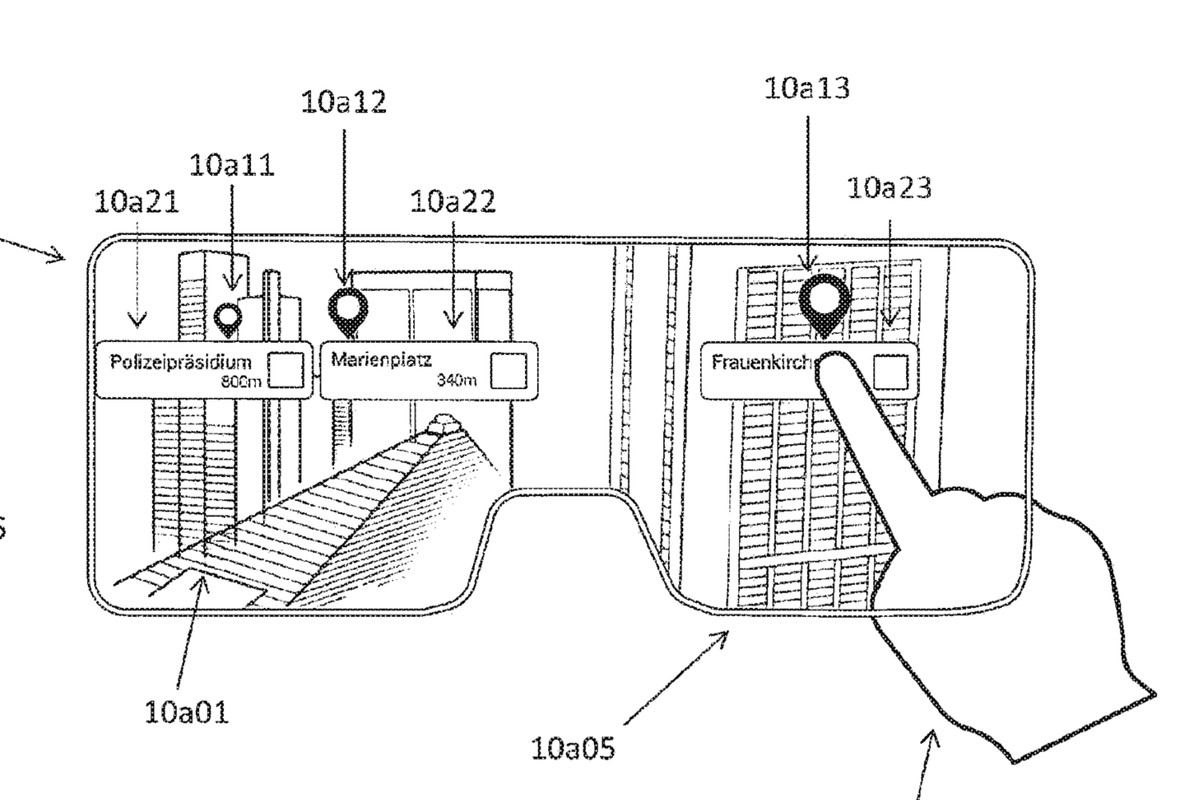
Tim Cook has not-so-subtly hinted that Apple is working on some sort of augmented reality product. And while ARKit may be the start, a patent application published today hints at what Apple could be picturing down the road.


The application describes how a device could overlay information on the real world. Apple is imagining some pretty broad possibilities here. It could be as simple as putting an indicator on a point of interest, like a building. But it could be as complicated as identifying every element of a car’s dashboard and overlaying videos about them.


Apple Imagines AR Glasses that Fulfill the Dream of Google Glass


Of course, this all sounds great in theory and looks cool in mock-ups, but technology like that still remains a long ways off. It’s all very reminiscent of what Google was originally envisioning Glass would be able to do — but the end result was far, far from it.

Apple Imagines AR Glasses that Fulfill the Dream of Google Glass

The patent was first spotted by Patently Apple, which points out that the ideas described in this patent originated from Metaio, an augmented reality startup that Apple purchased two years agoApple Insider also notes that this new patent application largely builds upon another patent granted to Metaio earlier this year — and originally filed in 2013. Apple is clearly interested in and working on this kind of stuff, but the timeline suggests that what’s described here isn’t necessarily just around the corner.


Source: the verge

Windows
Mac OS
iOS
Linux
3uTools
Win 64-bit For this device
V9.0 2025-11-11
Download
Win 32-bit For this device
V9.0 2025-11-11
Download
3uTools
Intel Chip How to Identify Chip Type
V9.0 2025-12-02
Download
Apple Silicon
V9.0 2025-12-02
Download
How to Identify Chip Type
1.  Click the Apple icon in the top-left corner of the screen and select About This Mac.
2.  Check the Processor or Chip field to determine if it is "Intel" or "Apple".
Please use the 3uTools PC client to install the iOS client:
1、 Install either the Windows or Mac version of 3uTools on your computer
2、 Open the PC client and connect your device to the computer via USB cable
3、 After the connection is successful, wait for the computer to automatically install the mobile app for the device, or locate “Install Mobile App” on the computer and manually click to install.
3uTools
deb file
V3.01 2025-11-20
Download
rpm file
V3.01 2025-11-20
Download
Windows
Windows
iOS
iOS
Android
Android
TV
TV
3uAirPlayer
Win 64-bit For this device
V6.0.2 2025-11-19
Download
Win 32-bit For this device
V6.0.2 2025-11-19
Download
iOS Device Mirroring (No App Required)
1、 Install 3uAirPlayer on the Windows PC
2、 Open Control Center and select Screen Mirroring
3、 From the list, choose your PC to start mirroring
4、 Or connect your iOS device to the PC via USB to begin mirroring
Scan to get "3uAirPlayer" App
3uAirPlayer TV V1.0.18
2025-11-28
TV System Requirements: Android 7.0 or later
Download the TV installation package, copy it to a USB drive, insert it into your TV or set-top box, then select the file from the home screen to install.