
NEWS

'Apple Watch Series 3' Coming This Fall

07/26/2017

2673

Regular Apple supplier Quanta Computer is likely to enjoy strong revenues in the second half of 2017, in part because of the third-generation Apple Watch, reports reaffirmed on Tuesday.
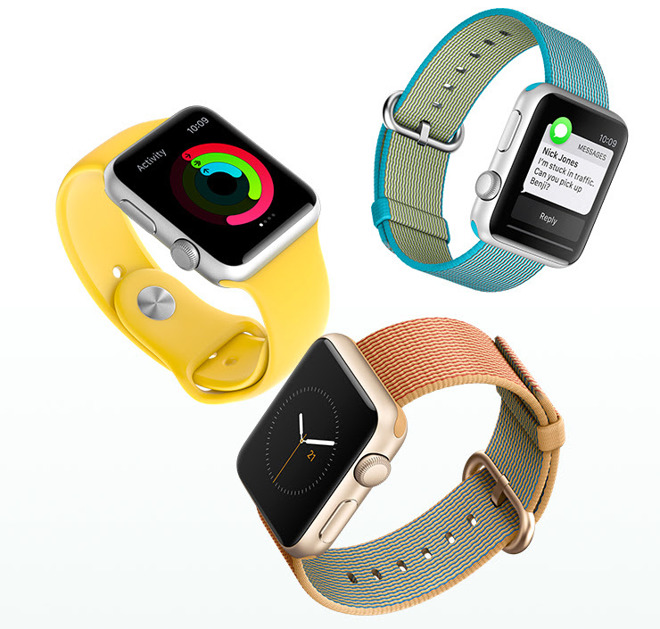

 'Apple Watch Series 3' Coming This Fall


Compal Electronics has joined the Watch supply chain but will probably handle older-generation models still on sale, said the Chinese-language Economic Daily News, cited by DigiTimes. The company's involvement was rumored as far back as April, and at the time said to involve taking over some Series 2 production. 


It's unknown if Apple will continue to sell the Series 1 in a post-"Series 3" environment. The 1 is essentially a first-generation Watch with a faster processor, lacking upgrades like waterproofing or GPS.


Since 2015, flagship Watch production has been handled entirely by Quanta, making it natural for that relationship to continue.


Rumors about the "Series 3" remain relatively few and far between. One of the most common is that that device could get LTE, allowing it to operate independently of an iPhone —at least, to a greater degree than the Series 2. 


It may also get built-in sleep tracking, like many other wearables, and possibly even a non-invasive glucose monitor. Apple CEO Tim Cook has been spotted wearing a special Watch accessory, which might also support rumors that Apple is working on "smart" bands that will expand features without requiring a new Watch.


Source: appleinsider

Windows
Mac OS
iOS
Linux
3uTools
Win 64-bit For this device
V9.0 2025-11-11
Download
Win 32-bit For this device
V9.0 2025-11-11
Download
3uTools
Intel Chip How to Identify Chip Type
V9.0 2025-12-02
Download
Apple Silicon
V9.0 2025-12-02
Download
How to Identify Chip Type
1.  Click the Apple icon in the top-left corner of the screen and select About This Mac.
2.  Check the Processor or Chip field to determine if it is "Intel" or "Apple".
Please use the 3uTools PC client to install the iOS client:
1、 Install either the Windows or Mac version of 3uTools on your computer
2、 Open the PC client and connect your device to the computer via USB cable
3、 After the connection is successful, wait for the computer to automatically install the mobile app for the device, or locate “Install Mobile App” on the computer and manually click to install.
3uTools
deb file
V3.01 2025-11-20
Download
rpm file
V3.01 2025-11-20
Download
Windows
Windows
iOS
iOS
Android
Android
TV
TV
3uAirPlayer
Win 64-bit For this device
V6.0.2 2025-11-19
Download
Win 32-bit For this device
V6.0.2 2025-11-19
Download
iOS Device Mirroring (No App Required)
1、 Install 3uAirPlayer on the Windows PC
2、 Open Control Center and select Screen Mirroring
3、 From the list, choose your PC to start mirroring
4、 Or connect your iOS device to the PC via USB to begin mirroring
Scan to get "3uAirPlayer" App
3uAirPlayer TV V1.0.18
2025-11-28
TV System Requirements: Android 7.0 or later
Download the TV installation package, copy it to a USB drive, insert it into your TV or set-top box, then select the file from the home screen to install.




