
NEWS

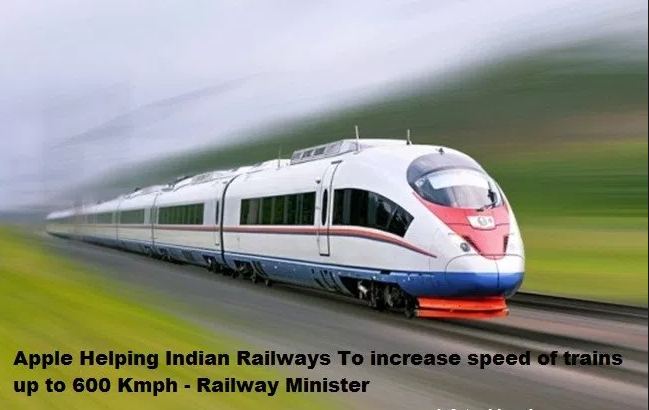
Railway Ministry Working With Companies Like Apple on Train Speeds

07/25/2017

2687

Eyeing trains speeds of 600km per hour, the government is working with global technology firms like Apple to help take Indian railways to the next level, Union minister Suresh Prabhu said on Friday.


The railway minister also said the government's premier think tank 
NITI Aayog had approved the ministry's Rs 18,000 crore proposal to increase speeds of the Gatiman Express on the two busiest corridors, Delhi-Mumbai and Delhi-Kolkata.


With this approval, the speed of the Gatiman Express would increase to 200km per hour, the minister said at an event organised by industry chamber ASSOCHAM. "You can yourself imagine how much travelling time this will save."

Railway Ministry Working With Companies Like Apple on Train Speeds


Sharing plans for the future, Prabhu said the government had six-eight months ago called major technology developers working on increasing train speeds to more than 600km per hour.


"We are already working with companies like Apple... technology will not only be imported in India but will be co-developed in India," Prabhu said.


Safety was also an important concern and Indian railways was planning to use self-propelled coaches that can detect rail fractures through ultrasonic technology, the minister added.


Source: timesofindia

Windows
Mac OS
iOS
Linux
3uTools
Win 64-bit For this device
V9.0 2025-11-11
Download
Win 32-bit For this device
V9.0 2025-11-11
Download
3uTools
Intel Chip How to Identify Chip Type
V9.0 2025-12-02
Download
Apple Silicon
V9.0 2025-12-02
Download
How to Identify Chip Type
1.  Click the Apple icon in the top-left corner of the screen and select About This Mac.
2.  Check the Processor or Chip field to determine if it is "Intel" or "Apple".
Please use the 3uTools PC client to install the iOS client:
1、 Install either the Windows or Mac version of 3uTools on your computer
2、 Open the PC client and connect your device to the computer via USB cable
3、 After the connection is successful, wait for the computer to automatically install the mobile app for the device, or locate “Install Mobile App” on the computer and manually click to install.
3uTools
deb file
V3.01 2025-11-20
Download
rpm file
V3.01 2025-11-20
Download
Windows
Windows
iOS
iOS
Android
Android
TV
TV
3uAirPlayer
Win 64-bit For this device
V6.0.2 2025-11-19
Download
Win 32-bit For this device
V6.0.2 2025-11-19
Download
iOS Device Mirroring (No App Required)
1、 Install 3uAirPlayer on the Windows PC
2、 Open Control Center and select Screen Mirroring
3、 From the list, choose your PC to start mirroring
4、 Or connect your iOS device to the PC via USB to begin mirroring
Scan to get "3uAirPlayer" App
3uAirPlayer TV V1.0.18
2025-11-28
TV System Requirements: Android 7.0 or later
Download the TV installation package, copy it to a USB drive, insert it into your TV or set-top box, then select the file from the home screen to install.




