 NEWS
NEWS
Dwayne ‘The Rock’ Johnson co-starring Siri for a new ‘movie’
 07/24/2017
 3157
3157
Update: Despite initially touting it as a movie, Johnson now says his partnership with Apple is a “crazy fun” commercial.
Seemingly out of nowhere, Dwayne ‘The Rock’ Johnson has announced on his personal Twitter account that he will soon be starring in a movie created in partnership with Apple. Co-starring alongside The Rock is none other than Siri, Apple’s artificial intelligent assistant.
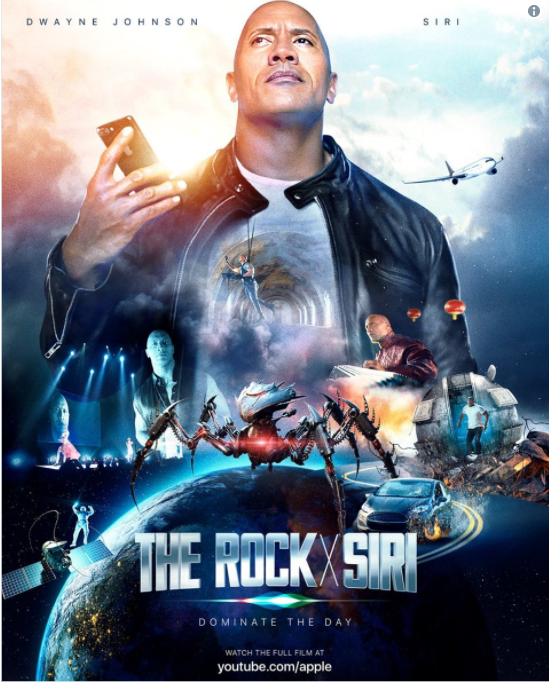
Details about this movie are currently scarce with just The Rock’s tweet (embedded below) and a Facebook post to go off of. According to the actor, the movie is called: Dominate The Day and will be the “biggest, coolest, sexiest, funnest … movie ever.” The film itself will be released in its entirety tomorrow, July 24th, on Apple’s YouTube channel.
Here’s how the actor pitches the film:
I partnered with Apple to make the BIGGEST, COOLEST, CRAZIEST, DOPEST, MOST OVER THE TOP, FUNNEST (is that even a word?) movie ever.
And I have the greatest co-star of all time -SIRI.
I make movies for the world to enjoy and we also made this one to motivate you to get out there and get the job done.
I want you to watch it, have fun with it and then go LIVE IT.
This is certainly somewhat of a bizarre move on Apple’s part, but it’s likely more of a marketing decision more than anything. With Apple releasing the HomePod in a couple of months which utilizes Siri, this is an excellent opportunity to show the world that the company’s virtual assistant can be just as powerful as Amazon Alexa and Google Assistant.
Of course, the movie also continues Apple’s efforts in original content. The company is current releasing episodes of its Planet of the Apps show and continues to pickup other creations here and there. While most of its content has been exclusive to Apple Music, its partnership with The Rock will be available for free on YouTube.
Source: 9to5mac










