 NEWS
NEWS
Future AirPods Might Feature Automated Audio Passthrough Feature
 07/21/2017
 3340
3340
An Apple patent application published on Thursday describes an advanced in-ear headphone device that uses sensors and valves to seal out ambient noise in certain situations, while letting in and augmenting external sound in others.
Earphones that seal the ear canal pull double duty as passive noise cancellation devices, delivering better acoustics when listening to music or talking on the phone. When users are not actively listening, or want to hear what's going on in their surroundings, passthrough systems can be activated to integrate external sound captured by an onboard microphone into the audio signal.
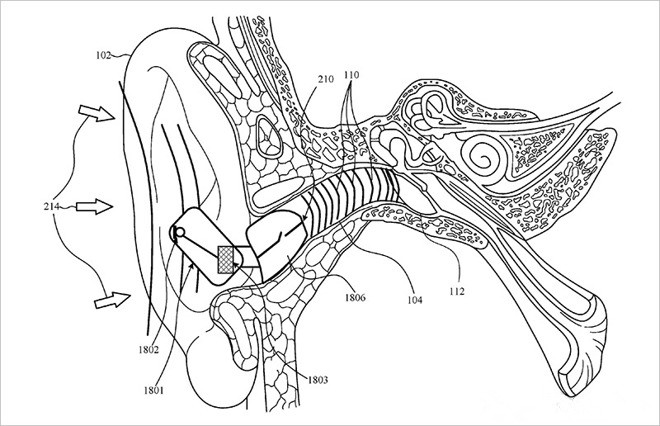
Most manufacturers rely on microphones and digital sound processing technology in their respective passthrough solutions, but such techniques require large amounts of power. In addition, sealing off the ear canal results in amplified echo-like sounds of a user's own voice or other sounds like those created by body movement. This unwanted noise is referred to as occlusion or isolation effects.
Apple refines the invention by adding in automation technology, leaving valve actuation up to computer circuitry and programming. In some embodiments a microphone and accelerometer are deployed to detect when a user is speaking into the headphones. Sensor data can be accompanied by signals from a paired smartphone, which might inform headphone management software that a telephone app is running. Other embodiments trigger valve operation based on audio signals gathered from the ambient environment.
Whether Apple intends to incorporate audio transparency in a future headphone is unclear, though the company is already building advanced components capable of such feats into its current AirPods device. The wireless earphone product boasts an array of microphones, as well as an accelerometer, but lacks a fully sealed form factor.
Source: appleinsider










