 NEWS
NEWS
Apple Granted Patent on Smart Dock with Siri and Wireless Charging
 07/20/2017
 3191
3191
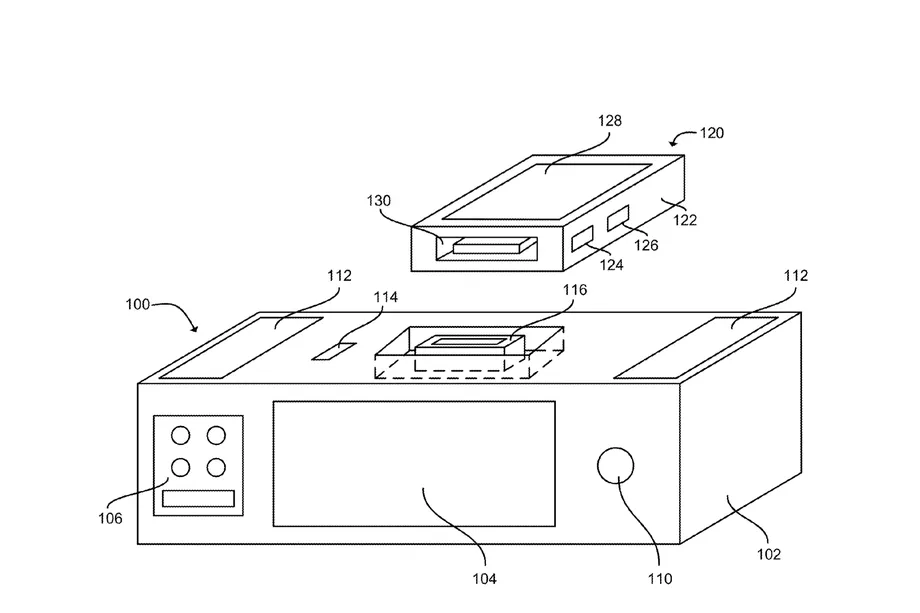
Apple was granted a new patent this week, one that’s particularly interesting given Apple’s upcoming HomePod and rumors of a wirelessly charging iPhone 8: an iPhone dock that could have Siri and a wireless charger built in.
The patent, officially for a “Smart dock for activating a voice recognition mode of a portable electronic device,” is pretty broad. It covers a dock that could recognize that an iPhone had been placed into it and activate a microphone that could listen for voice commands to allow users to control a phone from across a room. In other words, it’s a Siri dock. The patent also covers multiple ways of charging said iPhone, including wireless charging, and describes docks that range just simple connectors with a microphone and speaker to full-fledged miniature computers with buttons and displays.
Now, before I go off into rampant speculation, it’s worth remembering that this is a patent, not an actual product announcement. But the interesting part is how this could tie in to Apple’s HomePod strategy. Many users, including myself, have pointed out that while Apple has the expensive $349 HomePod, it’s tough to argue that that product alone could compete with a $180 Echo, let alone Amazon’s $50 Echo Dot. A Siri-infused dock could work a lot like an Echo Dot, as a smaller, cheaper option for users looking to integrate Apple’s digital assistant into their homes. It’s also important to note that Apple filed for this patent back in 2012, which could mean that it’s an idea that the company has been developing for years and refining, or that any possible products stemming from this were abandoned a long time ago.
Still, as with any Apple patent, it’s always interesting to see what the minds at Cupertino are thinking about, and even if a wireless charging Siri dock never comes to fruition, it’s nice to dream of what could be.
Source: the verge










