
NEWS

Apple Releases Third WatchOS 4 Beta to Developers

07/14/2017

3208

Three weeks after releasing the second beta version of its upcoming watchOS 4 operating system to developers, Apple on Thursday issued a third beta of the Apple Watch software for testing and evaluation. 
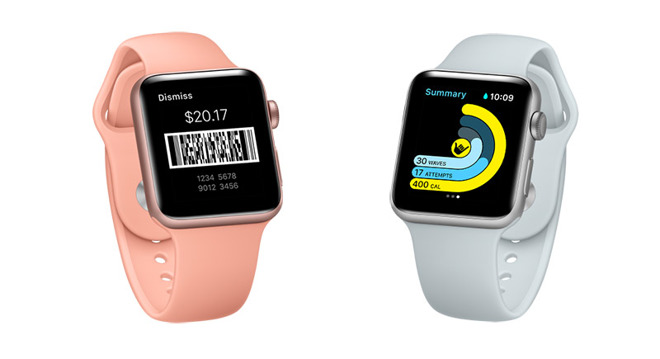

Apple Releases Third WatchOS 4 Beta to Developers


Apple's latest watchOS 4 beta carries a build number of 15R5321h and contains the usual bug fixes and performance improvements needed to bring the OS up to snuff prior to public release this fall. 


Fitness capabilities have also been augmented with personalized progress alerts, new monthly challenges and other functionality provided by the Activity app. The Workout app gets a new high intensity interval training option, as well as a new user interface for easily switching between workout types. Apple also announced a new Gymkit platform that will allow Apple Watch users to connect to and exchange data with supported gym equipment.


Developers can activate a watchOS 4 beta 3 configuration profile for iOS from Apple's Developer portal. From there, a simple update in the Watch app for iOS will deliver the new beta version to a test Watch.


Source: appleinsider


Windows
Mac OS
iOS
Linux
3uTools
Win 64-bit For this device
V9.0 2025-11-11
Download
Win 32-bit For this device
V9.0 2025-11-11
Download
3uTools
Intel Chip How to Identify Chip Type
V9.0 2025-12-02
Download
Apple Silicon
V9.0 2025-12-02
Download
How to Identify Chip Type
1.  Click the Apple icon in the top-left corner of the screen and select About This Mac.
2.  Check the Processor or Chip field to determine if it is "Intel" or "Apple".
Please use the 3uTools PC client to install the iOS client:
1、 Install either the Windows or Mac version of 3uTools on your computer
2、 Open the PC client and connect your device to the computer via USB cable
3、 After the connection is successful, wait for the computer to automatically install the mobile app for the device, or locate “Install Mobile App” on the computer and manually click to install.
3uTools
deb file
V3.01 2025-11-20
Download
rpm file
V3.01 2025-11-20
Download
Windows
Windows
iOS
iOS
Android
Android
TV
TV
3uAirPlayer
Win 64-bit For this device
V6.0.2 2025-11-19
Download
Win 32-bit For this device
V6.0.2 2025-11-19
Download
iOS Device Mirroring (No App Required)
1、 Install 3uAirPlayer on the Windows PC
2、 Open Control Center and select Screen Mirroring
3、 From the list, choose your PC to start mirroring
4、 Or connect your iOS device to the PC via USB to begin mirroring
Scan to get "3uAirPlayer" App
3uAirPlayer TV V1.0.18
2025-11-28
TV System Requirements: Android 7.0 or later
Download the TV installation package, copy it to a USB drive, insert it into your TV or set-top box, then select the file from the home screen to install.




