
NEWS

Apple to Ship All iPhones With OLED Display Starting From 2018

07/10/2017

3243

Apple is gearing up to integrate #Oled Display with the upcoming premium variant of the iPhone 8. However, the standard models will continue to ship with the LED display. According to sources close to the Cupertino-based tech giant, the product team is planning to infuse OLED display for all models starting from 2018. Hence, you can expect the new display in the rumored iPhone 9 and iPhone 9 Plus.


If the company decides to infuse OLED display, then it will ditch the traditional LED display. With OLED display, you will be able to experienceenhanced clarity when compared with the conventional IPS displays.
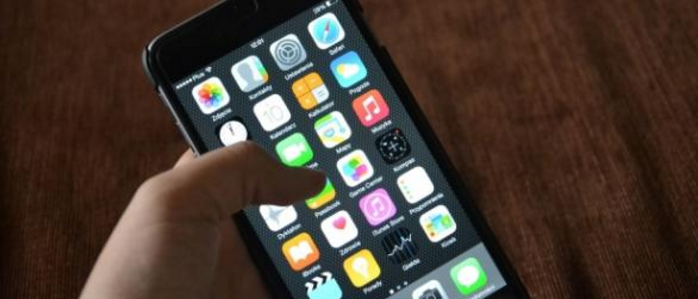

Apple to Ship All iPhones With OLED Display Starting From 2018


There are rumors that Apple will launch iPhone 8 in both 4.7-inch and 5.5-inch in September. However, few sources mention that the company will release the handsets with the naming iPhone 7s and iPhone 7s Plus. Moreover, the 5.8-inch model of iPhone 8 will offer OLED display but the availability will be delayed beyond November 2017.


You can also expect the addition of the next-generation Apple A11processor, wireless charging, a newly designed dual camera including afingerprint sensor below the screen. The upcoming iPhone 8 will have animproved battery apart from new color variants.


As of this writing, we don't have any reliable information about the expected pricing of the iPhone. With the infusion of the OLED panel, be prepared to keep $1000 ready.


Source: blastingnews

Windows
Mac OS
iOS
Linux
3uTools
Win 64-bit For this device
V9.0 2025-11-11
Download
Win 32-bit For this device
V9.0 2025-11-11
Download
3uTools
Intel Chip How to Identify Chip Type
V9.0 2025-12-02
Download
Apple Silicon
V9.0 2025-12-02
Download
How to Identify Chip Type
1.  Click the Apple icon in the top-left corner of the screen and select About This Mac.
2.  Check the Processor or Chip field to determine if it is "Intel" or "Apple".
Please use the 3uTools PC client to install the iOS client:
1、 Install either the Windows or Mac version of 3uTools on your computer
2、 Open the PC client and connect your device to the computer via USB cable
3、 After the connection is successful, wait for the computer to automatically install the mobile app for the device, or locate “Install Mobile App” on the computer and manually click to install.
3uTools
deb file
V3.01 2025-11-20
Download
rpm file
V3.01 2025-11-20
Download
Windows
Windows
iOS
iOS
Android
Android
TV
TV
3uAirPlayer
Win 64-bit For this device
V6.0.2 2025-11-19
Download
Win 32-bit For this device
V6.0.2 2025-11-19
Download
iOS Device Mirroring (No App Required)
1、 Install 3uAirPlayer on the Windows PC
2、 Open Control Center and select Screen Mirroring
3、 From the list, choose your PC to start mirroring
4、 Or connect your iOS device to the PC via USB to begin mirroring
Scan to get "3uAirPlayer" App
3uAirPlayer TV V1.0.18
2025-11-28
TV System Requirements: Android 7.0 or later
Download the TV installation package, copy it to a USB drive, insert it into your TV or set-top box, then select the file from the home screen to install.




