 NEWS
NEWS
Apple's Irish data center plans could finish this Friday
 07/04/2017
 2982
2982
The Irish High Court could make its decision on a review of Apple's plans for an Athenry data center as soon as this Friday.
Apple remains committed to the Athenry site despite ongoing delays, reacting to a profile of one of the people who asked for the judicial review, local resident Allan Daly.Vice noted that some rumors have claimed Apple might pull out of the Athenry project due to frustration.
Daly is an American-born immigrant and environmental engineer, and has raised multiple objections to the data center, particularly over possible strain on the Irish electrical grid and no apparent plans to cope with greenhouse gas emissions. He has also suggested that there are better areas in County Galway, since they're already zoned properly. In Aug. 2015 he met with three Apple executives.
A local planning authority quickly approved Apple's project, but Daly and some others appealed the decision to Ireland's An Bord Pleanala in Sept. 2015. This was unsuccessful, leading Daly to ask for the High Court review.
His broader political concerns are said to be lax regulations, and politicians who he claims too easily give way to major businesses without considering issues like the environment. A specific complaint is that the IDA, Ireland's investment promotion agency, has "misled" the public and been reckless about trying to bring data centers to the country. Daly is also fighting a $1 billion Amazon data center in Dublin.
Apple reportedly considered 25 locations around Galway that were suggested by the IDA, but settled on the current one after it deemed the others either too small or missing necessary infrastructure.
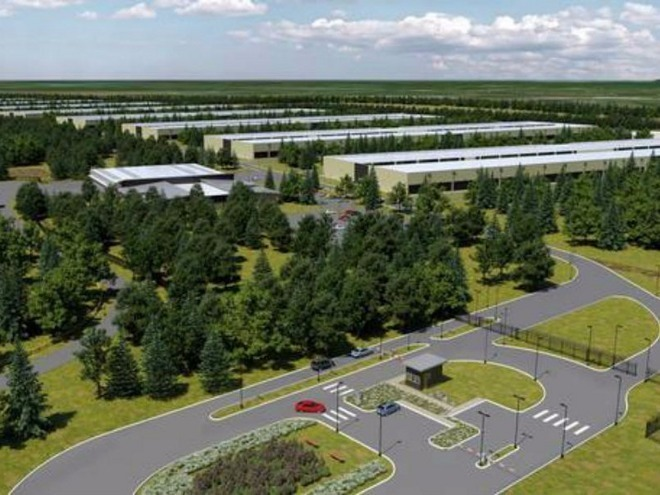
Daly has argued however that if Apple completes all eight data halls, they will consume 240 megawatts —6.75 percent of Ireland's overall electricity use. Apple has countered by saying that the first data hall will begin at 6 megawatts, and take five years before it reaches 30. It didn't comment on the impact of the other halls.
Irish taxpayers will have to foot the bill for necessary power upgrades, and Apple's promises of using renewable energy are only based on a deal with Vayu, which contracts with other companies, according to Daly. That means Apple would be just tapping into existing renewable energy without adding to it —indeed an inspector from An Bord Pleanala pointed out that it can't be demonstrated the data center will depend solely on renewables.
If it is eventually completed, the Athenry facility will become Apple's second data center in Europe. The first —in Viborg, Denmark —is set to go online by the end of the year, and may indeed be more environmentally friendly, pumping heat into local homes while using agricultural waste to generate some of its energy. Other forms of renewable energy will also be used.
Source: appleinsider










