
NEWS

Apple Marketing Lead Greg Joswiak Talks ARKit in New Interview

06/30/2017

2783

Apple's vice president of product marketing Greg Joswiak this week sat down for an interview with The Australian, where he spoke about the company's augmented reality efforts, including ARKit and the response that its gotten from developers so far. 

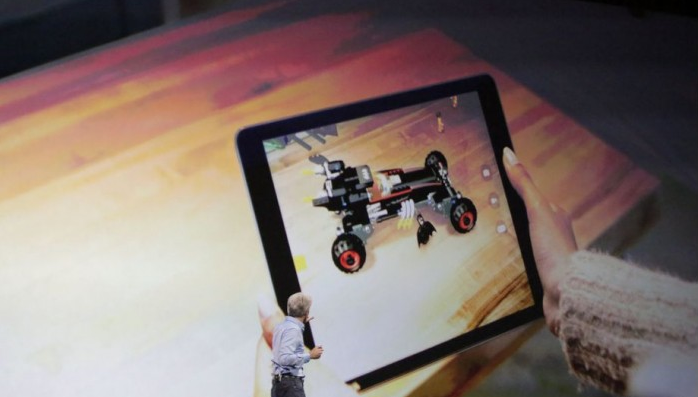
Enthusiasm about ARKit has been "unbelievable" says Joswiak, who went on to describe some of the things developers have built so far, including 
virtual tape measures that can accurately measure real-world objects. "It's absolutely incredible what people are doing in so little time," he said. Joswiak declined to speak about Apple's future AR plans, but said the company is going to "start at zero" with the iPhone and the iPad. 

Apple Marketing Lead Greg Joswiak Talks ARKit in New Interview


Joswiak also spoke about HomeKit, where he said he expects "plenty" of compatible HomeKit devices to be in homes in Australia before the HomePod speaker launches in December, and he highlighted both the new Siri voices in iOS 11 and Apple's work on machine learning. Apple has been using machine learning techniques since 2007, when the original iPhone launched. "We used machine learning to learn what you typed back in 2007," he said. 

Machine learning, ARKit, and artificial intelligence play a major role in iOS 11. With ARKit, developers are able to quickly and easily build augmented reality experiences into their apps and games. When it launches this fall, ARKit will be the largest AR platform in the world, thanks to the myriad iPhones and iPads that are out on the market.


Source: macrumors

Windows
Mac OS
iOS
Linux
3uTools
Win 64-bit For this device
V9.0 2025-11-11
Download
Win 32-bit For this device
V9.0 2025-11-11
Download
3uTools
Intel Chip How to Identify Chip Type
V9.0 2025-12-02
Download
Apple Silicon
V9.0 2025-12-02
Download
How to Identify Chip Type
1.  Click the Apple icon in the top-left corner of the screen and select About This Mac.
2.  Check the Processor or Chip field to determine if it is "Intel" or "Apple".
Please use the 3uTools PC client to install the iOS client:
1、 Install either the Windows or Mac version of 3uTools on your computer
2、 Open the PC client and connect your device to the computer via USB cable
3、 After the connection is successful, wait for the computer to automatically install the mobile app for the device, or locate “Install Mobile App” on the computer and manually click to install.
3uTools
deb file
V3.01 2025-11-20
Download
rpm file
V3.01 2025-11-20
Download
Windows
Windows
iOS
iOS
Android
Android
TV
TV
3uAirPlayer
Win 64-bit For this device
V6.0.2 2025-11-19
Download
Win 32-bit For this device
V6.0.2 2025-11-19
Download
iOS Device Mirroring (No App Required)
1、 Install 3uAirPlayer on the Windows PC
2、 Open Control Center and select Screen Mirroring
3、 From the list, choose your PC to start mirroring
4、 Or connect your iOS device to the PC via USB to begin mirroring
Scan to get "3uAirPlayer" App
3uAirPlayer TV V1.0.18
2025-11-28
TV System Requirements: Android 7.0 or later
Download the TV installation package, copy it to a USB drive, insert it into your TV or set-top box, then select the file from the home screen to install.




