 NEWS
NEWS
iPhone 8 Laser Supplier Hints Device Could Launch in October
 06/19/2017
 3119
3119
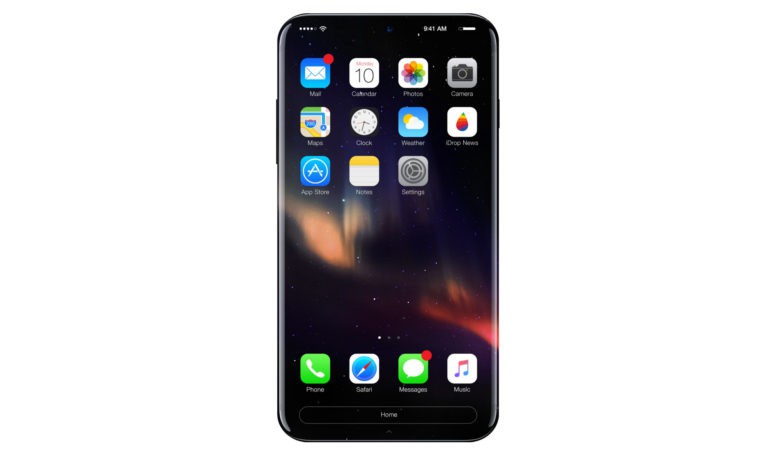
The launch of the iPhone 8 may not happen until October of this year, based on the comments of one of Apple’s suppliers that is making a key component for the new device.
Apple allegedly plans to take its augmented reality tech to the next level by adding lasers to the iPhone 8. One of the companies that is likely supplying Apple with the parts, Finisar, dropped some details during its latest earnings call that hints when fans can finally expected to see the iPhone 8.
At WWDC 2017, Apple unveiled its new ARKit as part of iOS 11. The tool for developer instantly turns the iPhone and iPad into the biggest platform for AR, but Apple doesn’t plan to stop there. Adding lasers near the front-facing camera on the iPhone 8 will allow apps to depth-map objects. It could also be used for image recognition and enhancing security.
According to a report from Axios, Loup Ventures says that it expects Finisar to one of several suppliers of the specialized laser, known as VCSEL, that will be used in the iPhone. Finisar said during its earnings call that it expects one one company to account for millions of units of the specialized laser. Apple wasn’t mentioned by name, but there’s only one company we can think of that needs tens of millions of VCSEL lasers this fall.
Based on Finisar’s comments, Loup Ventures expects Apple to unveil the iPhone 8 in September and ship it in October. Apple usually launches new iPhone models in September. The slightly later launch date this year could be due to manufacturing setbacks.
Other new features on the iPhone 8 are expected to include an all-new design with a glass front and back. Improved cameras, facial recognition, inductive charging and a curved OLED screen could also make the features list.
Source: cult of mac










