NEWS

Lady Gaga Emoji Will Delight Her Little Monsters

05/12/2017

4018

Lady Gaga Emoji Will Delight Her Little Monsters


Lady Gaga is the queen of provocative visuals. This has been her undisputed title ever since she performed on stage in a dress of raw beef seven years ago.


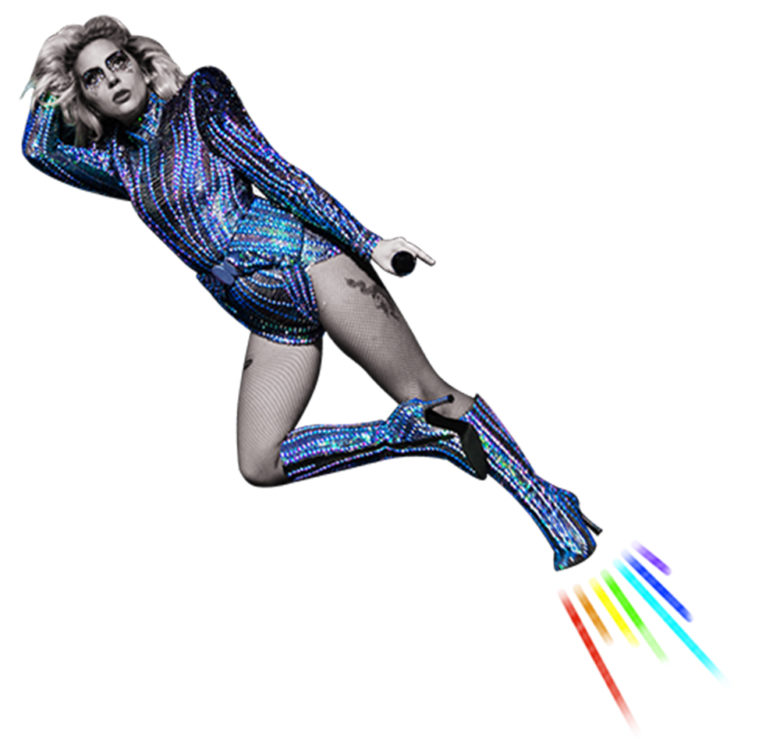
Now her devoted fans have her help in expressing themselves in roaring Mother Monster fashion on iOS with Lady Gaga emoji, a series of animated iMessage stickers and GIFs that debuted today.


The GagaMoji stickers are Powered by Snaps Media and are available for download here for $1.99.


The stickers contain some of her favorite catchphrases like “YAASA GAGA” and “It’s gonna be lit.”


When a set of smacking lips or winking smiley face aren’t enough to convey a flirtatious feeling, there is always the image of the pop star in profile, her mouth around a curvy octopus tentacle.

Lady Gaga Emoji Will Delight Her Little Monsters


Lady Gaga gets high praise for how she expresses emotion in her music and, similarly, she covers a wide range with the emoji – love, tears, questions, plus a whole lot of humor or just Gaga being a kickass rockstar. There’s even a Poker Face in there.


One of the unique features is the drag and drop stickers, letting fans grab hats, sunglasses, and masks right into iMessage conversations. Lady Gaga will add fresh content from time to time to the sticker pack, according to a news release.


Emoji are iconic symbols and Lady Gaga is a pop icon. Those messages are “gonna be lit.”


Source: cult of mac


Windows
Mac OS
iOS
Linux
3uTools
Win 64-bit For this device
V9.0 2025-11-11
Download
Win 32-bit For this device
V9.0 2025-11-11
Download
3uTools
Intel Chip How to Identify Chip Type
V9.0 2025-12-02
Download
Apple Silicon
V9.0 2025-12-02
Download
How to Identify Chip Type
1.  Click the Apple icon in the top-left corner of the screen and select About This Mac.
2.  Check the Processor or Chip field to determine if it is "Intel" or "Apple".
Please use the 3uTools PC client to install the iOS client:
1、 Install either the Windows or Mac version of 3uTools on your computer
2、 Open the PC client and connect your device to the computer via USB cable
3、 After the connection is successful, wait for the computer to automatically install the mobile app for the device, or locate “Install Mobile App” on the computer and manually click to install.
3uTools
deb file
V3.01 2025-11-20
Download
rpm file
V3.01 2025-11-20
Download
Windows
Windows
iOS
iOS
Android
Android
TV
TV
3uAirPlayer
Win 64-bit For this device
V6.0.2 2025-11-19
Download
Win 32-bit For this device
V6.0.2 2025-11-19
Download
iOS Device Mirroring (No App Required)
1、 Install 3uAirPlayer on the Windows PC
2、 Open Control Center and select Screen Mirroring
3、 From the list, choose your PC to start mirroring
4、 Or connect your iOS device to the PC via USB to begin mirroring
Scan to get "3uAirPlayer" App
3uAirPlayer TV V1.0.18
2025-11-28
TV System Requirements: Android 7.0 or later
Download the TV installation package, copy it to a USB drive, insert it into your TV or set-top box, then select the file from the home screen to install.