
NEWS

Apple Updates App Analytics for Developers With New Metrics on Discovery

05/05/2017

3167

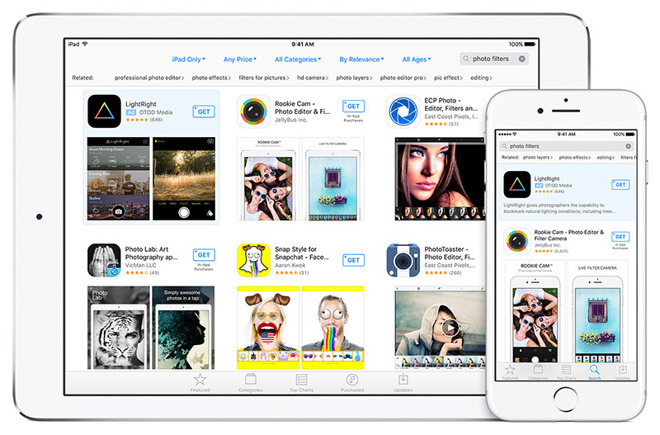
Apple this week upgraded its App Analytics service on iTunes Connect with new details on app discovery, offering developers more clues on how to maximize their marketing.


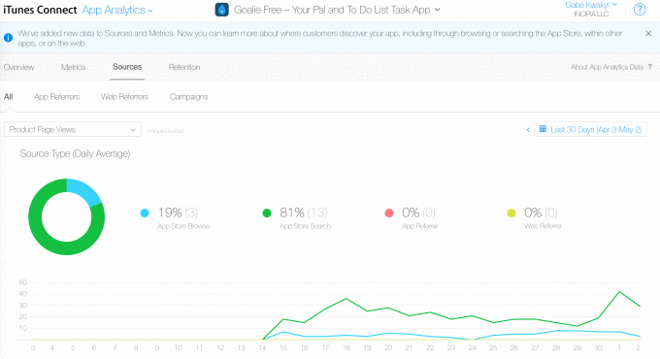
The service will now identify sources including the Web, app referrals, App Store browsing, or direct search, Apple explained. As with other App Analytics data, the information can be viewed as charts, graphs, and percentages over varying time periods.

Apple Updates App Analytics for Developers With New Metrics on Discovery


While individual users aren't identified, Apple does break down sources in some cases, for instance displaying the domains of Web referrals.


The new data means that developers can alter their keywords to make apps more discoverable, or reconsider which apps and websites to partner with.

Apple Updates App Analytics for Developers With New Metrics on Discovery


Apple has been gradually improving the App Store in response to developer complaints and wishlists. With iOS 10.3 the company introduced a new reviews system, letting users rate apps without leaving them, while giving developers a chance to respond to reviews.


More recently the company raised App Store prices in the European Union —compensating for currency fluctuations —while simultaneously introducing a new 0.49 euro tier for ultra-low cost apps.


Source: appleinsider


Windows
Mac OS
iOS
Linux
3uTools
Win 64-bit For this device
V9.0 2025-11-11
Download
Win 32-bit For this device
V9.0 2025-11-11
Download
3uTools
Intel Chip How to Identify Chip Type
V9.0 2025-12-02
Download
Apple Silicon
V9.0 2025-12-02
Download
How to Identify Chip Type
1.  Click the Apple icon in the top-left corner of the screen and select About This Mac.
2.  Check the Processor or Chip field to determine if it is "Intel" or "Apple".
Please use the 3uTools PC client to install the iOS client:
1、 Install either the Windows or Mac version of 3uTools on your computer
2、 Open the PC client and connect your device to the computer via USB cable
3、 After the connection is successful, wait for the computer to automatically install the mobile app for the device, or locate “Install Mobile App” on the computer and manually click to install.
3uTools
deb file
V3.01 2025-11-20
Download
rpm file
V3.01 2025-11-20
Download
Windows
Windows
iOS
iOS
Android
Android
TV
TV
3uAirPlayer
Win 64-bit For this device
V6.0.2 2025-11-19
Download
Win 32-bit For this device
V6.0.2 2025-11-19
Download
iOS Device Mirroring (No App Required)
1、 Install 3uAirPlayer on the Windows PC
2、 Open Control Center and select Screen Mirroring
3、 From the list, choose your PC to start mirroring
4、 Or connect your iOS device to the PC via USB to begin mirroring
Scan to get "3uAirPlayer" App
3uAirPlayer TV V1.0.18
2025-11-28
TV System Requirements: Android 7.0 or later
Download the TV installation package, copy it to a USB drive, insert it into your TV or set-top box, then select the file from the home screen to install.




