
NEWS

Apple Heralds the End of Low-Capacity 16GB iPhones

03/22/2017

2919

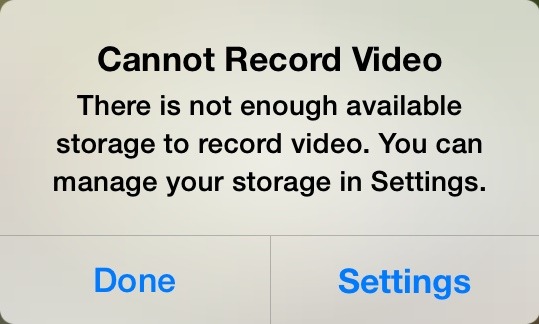
After years of complaints, inspired by users unable to install iOS updates because of insufficient free space, Apple has finally eliminated the inadequate 16-gigabyte storage tier from its iPhone lineup.


Rather than keeping the entry-level 16-gigabyte iPhone SE in its lineup at a cheaper price, Apple opted to eliminate it entirely on Tuesday, doubling the smallest available size to 32 gigabytes. Despite the increase, the iPhone SE retains the same starting price of $399.


The change brings the iPhone SE in line with both the iPhone 6s and the flagship iPhone 7, all of which come in sizes no smaller than 32 gigabytes. In fact, the jet black and new (Product)Red iPhone 7 models come with a minimum of 128 gigabytes.

Apple Heralds the End of Low-Capacity 16GB iPhones


Just a few years ago, the company was still selling 8-gigabyte iPhone models in select international markets. But once the company discontinued its low-end iPhone 5c, the 8-gigabyte tier went with it.


Capacities of 16-gigabytes were already eliminated in Apple's iPad lineup. Even before the iPad mini 2 was removed on Tuesday, it came with an entry-level storage size of 32 gigabytes.


Source: appleinsider

Windows
Mac OS
iOS
Linux
3uTools
Win 64-bit For this device
V9.0 2025-11-11
Download
Win 32-bit For this device
V9.0 2025-11-11
Download
3uTools
Intel Chip How to Identify Chip Type
V9.0 2025-12-02
Download
Apple Silicon
V9.0 2025-12-02
Download
How to Identify Chip Type
1.  Click the Apple icon in the top-left corner of the screen and select About This Mac.
2.  Check the Processor or Chip field to determine if it is "Intel" or "Apple".
Please use the 3uTools PC client to install the iOS client:
1、 Install either the Windows or Mac version of 3uTools on your computer
2、 Open the PC client and connect your device to the computer via USB cable
3、 After the connection is successful, wait for the computer to automatically install the mobile app for the device, or locate “Install Mobile App” on the computer and manually click to install.
3uTools
deb file
V3.01 2025-11-20
Download
rpm file
V3.01 2025-11-20
Download
Windows
Windows
iOS
iOS
Android
Android
TV
TV
3uAirPlayer
Win 64-bit For this device
V6.0.2 2025-11-19
Download
Win 32-bit For this device
V6.0.2 2025-11-19
Download
iOS Device Mirroring (No App Required)
1、 Install 3uAirPlayer on the Windows PC
2、 Open Control Center and select Screen Mirroring
3、 From the list, choose your PC to start mirroring
4、 Or connect your iOS device to the PC via USB to begin mirroring
Scan to get "3uAirPlayer" App
3uAirPlayer TV V1.0.18
2025-11-28
TV System Requirements: Android 7.0 or later
Download the TV installation package, copy it to a USB drive, insert it into your TV or set-top box, then select the file from the home screen to install.




