 NEWS
NEWS
Apple Pencil Charging Concept Utilizes Magnetic iPad Pro Smart Connector
 03/10/2017
 3967
3967
Published this week by the U.S. Patent and Trademark Office, application Nos. 20170068339 to 20170068342 inclusive are all named "Stylus for Electronic Devices," and were originally filed on August 31 and September 08, 2016. All four listings are extremely similar, with the few differences including the date of filing, the CPC classes, and the international classes, and largely describe how the movement of a stylus could be detected by monitoring electric fields.
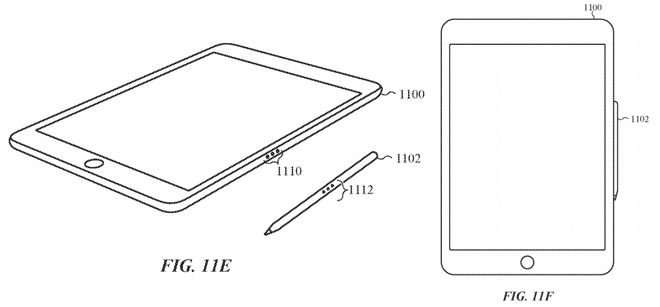
Hidden within the large number of images detailing the design of the Apple Pencil are two illustrations that suggest a way to charge it without using the Lightning connector. Spotted by Apple World Today, one image shows an iPad Pro from an angle, highlighting the Smart Connector on one edge, next to an Apple Pencil that has three markings in the middle that line up with the connector's contact points.
A secondary image shows the iPad Pro from the front, with the Apple Pencil tucked in to one side, attached by the Smart Connector.
The description in the application mentions the use of the iPad Pro's connector to provide power to the Apple Pencil, via the touching contacts, with data also able to be shared between the two devices. The use of magnets is also mentioned, positioned in such a way that the contacts will line up correctly for charging purposes.
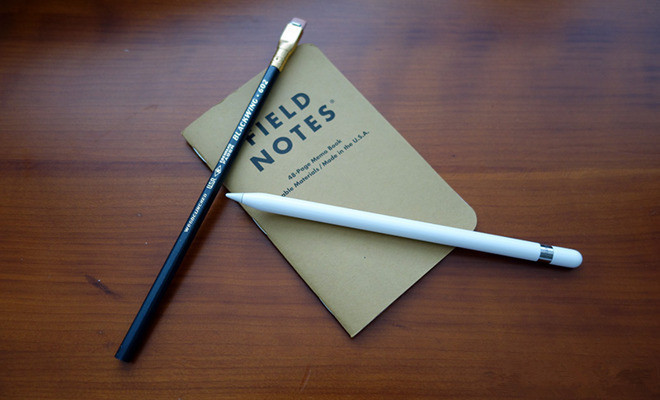
One rumor claims Apple has been working on a second-generation Apple Pencil that includes a magnetic system to attach it to the iPad Pro, allowing it to be temporarily stored when not needed. The ability to charge the Apple Pencil while magnetically attached to the side isn't part of the rumor, but the application's existence gives the claim some weight when considering the next generation of the accessory.
This is not the only idea Apple has come up with regarding Apple Pencil storage. Earlier in March, a patent application surfaced depicting a series of retractable loops that could be included within iPad Pro cases and covers, with users able to pull out the loops when they wish to holster the Apple Pencil.
Apple is currently believed to be preparing to refresh its iPad line in an upcoming event, with rumors claiming a new 10.5-inch iPad Pro will launch alongside updated versions of the 9.7-inch and 12.9-inch models. A new version of the Apple Pencil could also make an appearance at the event.
Source: appleinsider










