 NEWS
Apple Has macOS iPads Internally, but No Plans for a Consumer Release
 11/26/2026
 68
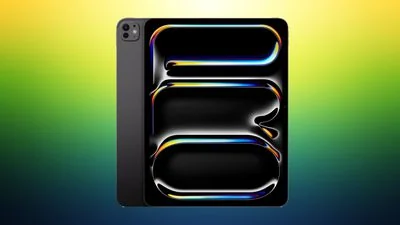
Apple reportedly has iPads running macOS internally and has been testing them for some time. However, the company has no current plans to bring the Mac operating system to consumer iPads, according to Bloomberg's Mark Gurman.
Despite years of speculation about Apple merging iPadOS and macOS, the company appears to be sticking with its strategy of keeping the two platforms separate while gradually bringing more Mac-like capabilities to the iPad.
Apple Has No Plans to Bring macOS to the iPad
Speaking on his latest Power On podcast, Gurman said Apple has internal iPads capable of running macOS, but there is currently no active development aimed at bringing a consumer version of macOS to the iPad.
Instead, Apple is expected to continue expanding iPadOS with Mac-inspired features and professional applications over time, rather than turning the iPad into a Mac.
This approach allows Apple to improve the iPad's productivity capabilities while maintaining a distinct software experience tailored to touchscreens.
Mac Features Will Continue Coming to iPadOS
Apple has gradually made the iPad more capable for professional workflows, introducing advanced multitasking, improved window management, external display support, and desktop-class applications.
Apps such as Final Cut Pro are also bringing more professional creative tools to the iPad, narrowing the gap between the iPad and Mac without requiring the two devices to run the same operating system.
Gurman suggests that this incremental approach will remain Apple's strategy, with macOS features and applications making their way to iPadOS piece by piece.
EU Regulations Could Be Another Reason to Keep Them Separate
Apple may also have regulatory reasons to maintain separate operating systems.
According to Gurman, European Union regulations that apply differently depending on the operating system could give Apple an incentive to keep iPadOS and macOS distinct rather than combining them into a single platform.
Apple has recently dismissed speculation about merging iPadOS and macOS, reinforcing its position that the two operating systems will continue to evolve independently.
Will the iPad Ever Become a Mac?
Although Apple's internal macOS-powered iPads suggest the company has explored what such a device could look like, there is no indication that a Mac-like iPad is coming to consumers anytime soon.
For now, Apple seems more interested in making iPadOS increasingly powerful while preserving the iPad's identity as a tablet.
Source: Macrumors