NEWS
Apple TV Adds ASL and BSL Sign Language Support for Original Movies
 11/11/2026
 359
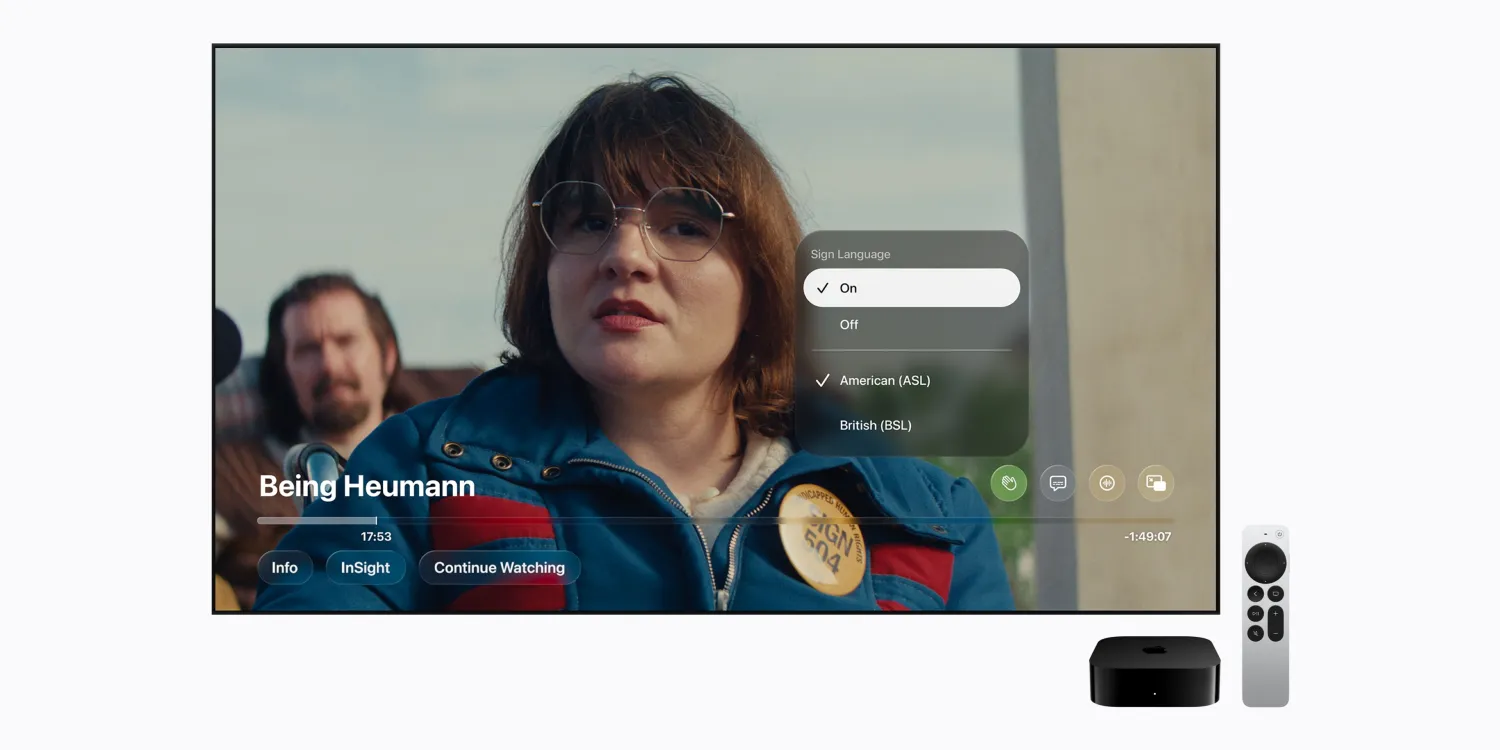
Apple has introduced a new accessibility feature for its Apple TV streaming service, allowing viewers to watch select Apple Original films with an on-screen sign language interpreter.
The feature launches this Friday alongside the debut of Being Heumann and F1: The Movie. Apple plans to expand support to additional titles later this year, making its original content more accessible to viewers who use sign language.
Apple TV Introduces ASL and BSL Options
The new feature allows users to watch supported movies with a sign language interpreter displayed in the corner of the screen. The interpreter's signing stays synchronized with the movie's playback.
At launch, viewers can choose between two options:
●American Sign Language (ASL)
●British Sign Language (BSL)
In addition to Being Heumann and F1: The Movie, Apple says sign language support will arrive for Greyhound and Way of the Warrior Kid later this year. More titles are expected to follow.
How to Enable Sign Language on Apple TV
To use the feature, viewers need the Apple TV app on an iPhone, iPad, or Mac running version 27.2 or later. It will also be available on select versions of the Apple TV app on other platforms.
Sign language controls are hidden by default, so users must enable them first.
Follow these steps:
1. Open the Settings app on your device.
2. Navigate to TV app settings.
3. Enable Sign Language Display.
4. Open an eligible movie in the Apple TV app.
5. Tap the new Sign Language button in the playback controls.
6. Select either ASL or BSL.
Once enabled, a signing interpreter will appear in the corner of the video, translating the movie's dialogue and audio content through sign language.
Find Movies With Sign Language Support
Apple is also making supported titles easier to discover.
When browsing the Apple TV catalog, sign language availability will appear alongside the usual subtitle and audio language information.
Users can also search for specific accessibility options using the terms "with ASL" or "with BSL" to find compatible movies.
The addition builds on Apple's ongoing accessibility efforts, giving more viewers the opportunity to enjoy its original films in a way that better suits their needs.
Source: 9to5mac