 NEWS
NEWS
Future iPhone Duo May Feature a Larger 8.1-Inch Inner Display
 10/23/2026
 56
56
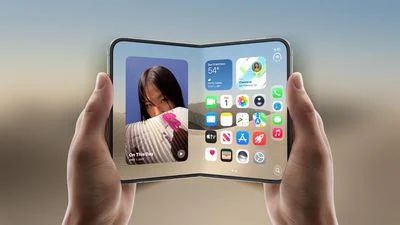
Apple is reportedly considering a larger inner display for a future version of the iPhone Duo, potentially making its foldable iPhone even better for multitasking, video playback, and productivity.
In a new episode of his Power On podcast, Bloomberg's Mark Gurman said he had heard that Apple was exploring the idea of increasing the size of the device's inner display by roughly half an inch.
Future iPhone Duo Could Feature an 8.1-Inch Display
The current iPhone Duo reportedly features a 7.6-inch inner display and a 5.4-inch outer display. According to Gurman, Apple is considering increasing the inner screen to somewhere between 7.9 and 8.1 inches.
The larger display could provide more screen space for running multiple apps, viewing documents, and watching videos when the device is unfolded.
However, Gurman did not provide an exact screen size or a potential release date. Apple is still reportedly exploring the idea, so it remains unclear whether the change will make it into a future product.
Don't Expect an iPhone Duo Max
Gurman also clarified that the larger display would not necessarily lead to a separate model. In other words, Apple is not reportedly planning an “iPhone Duo Max” as part of this exploration.
Instead, the company could increase the inner display size of a future generation of the existing iPhone Duo.
For now, the rumored upgrade remains at the exploration stage, and Apple has not officially confirmed any changes to the device's display dimensions.
Source: Macrumors










