 NEWS
NEWS
iPhone Duo Quick Look Gets Two-Page Layout for Foldable Display
 10/08/2026
 188
188
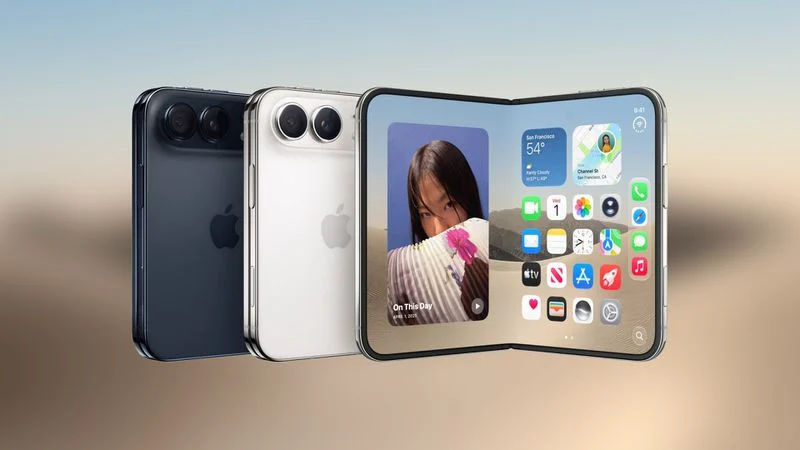
Apple's upcoming iPhone Duo could offer a new two-page layout in Quick Look, taking advantage of the foldable's large inner display when the device is opened like a book.
The feature was discovered by code explorer pdfu, who shared a video demonstrating how Quick Look could display documents across both halves of the unfolded iPhone Duo.
Quick Look Could Display Two Pages Side by Side
When the iPhone Duo is opened in its book-like orientation, Quick Look appears to support a two-page layout.
In the demonstration, an Apple Style Guide document is displayed across both sides of the unfolded screen, with consecutive pages shown side by side like a traditional book or magazine spread.
This layout could make the iPhone Duo particularly useful for viewing PDFs, documents, presentations, and other page-based content.
The Quick Look interface also places controls such as Search, Markup, and Share along the right-hand side of the display, keeping the document area relatively unobstructed.
Another Feature Designed for the iPhone Duo's Large Display
The new Quick Look layout appears to be another example of Apple adapting iOS 27 specifically for the iPhone Duo's unusual screen dimensions.
Apple has already demonstrated several software features designed around the foldable's display, including angle-aware layouts and side-by-side multitasking.
The two-page Quick Look interface takes a similar approach by treating the unfolded device more like a small tablet or physical book rather than a conventional smartphone.
Book-Like Reading Experience
With two pages displayed simultaneously, users could read documents without constantly swiping between pages.
The layout may be particularly useful for:
●PDF documents
●Digital books and magazines
●Apple documentation
●Presentations
●Multi-page reference materials
When the iPhone Duo is folded or used in another orientation, Quick Look could revert to a more traditional single-page interface.
iPhone Duo Pre-Orders Start October 16
Apple is expected to open iPhone Duo pre-orders at 5:00 a.m. Pacific Time on Friday, October 16, ahead of its official launch.
As the release date approaches, more details about how iOS 27 has been optimized for Apple's first foldable iPhone are likely to emerge.
The addition of a two-page Quick Look layout suggests Apple is looking beyond simply making iOS fit a larger screen. Instead, the company appears to be building software experiences specifically around the iPhone Duo's foldable design.
Source: Macrumors










