 NEWS
NEWS
iPhone 18 Pro Arrives With Major Camera, Performance and Battery Upgrades
 Just now
 57
57
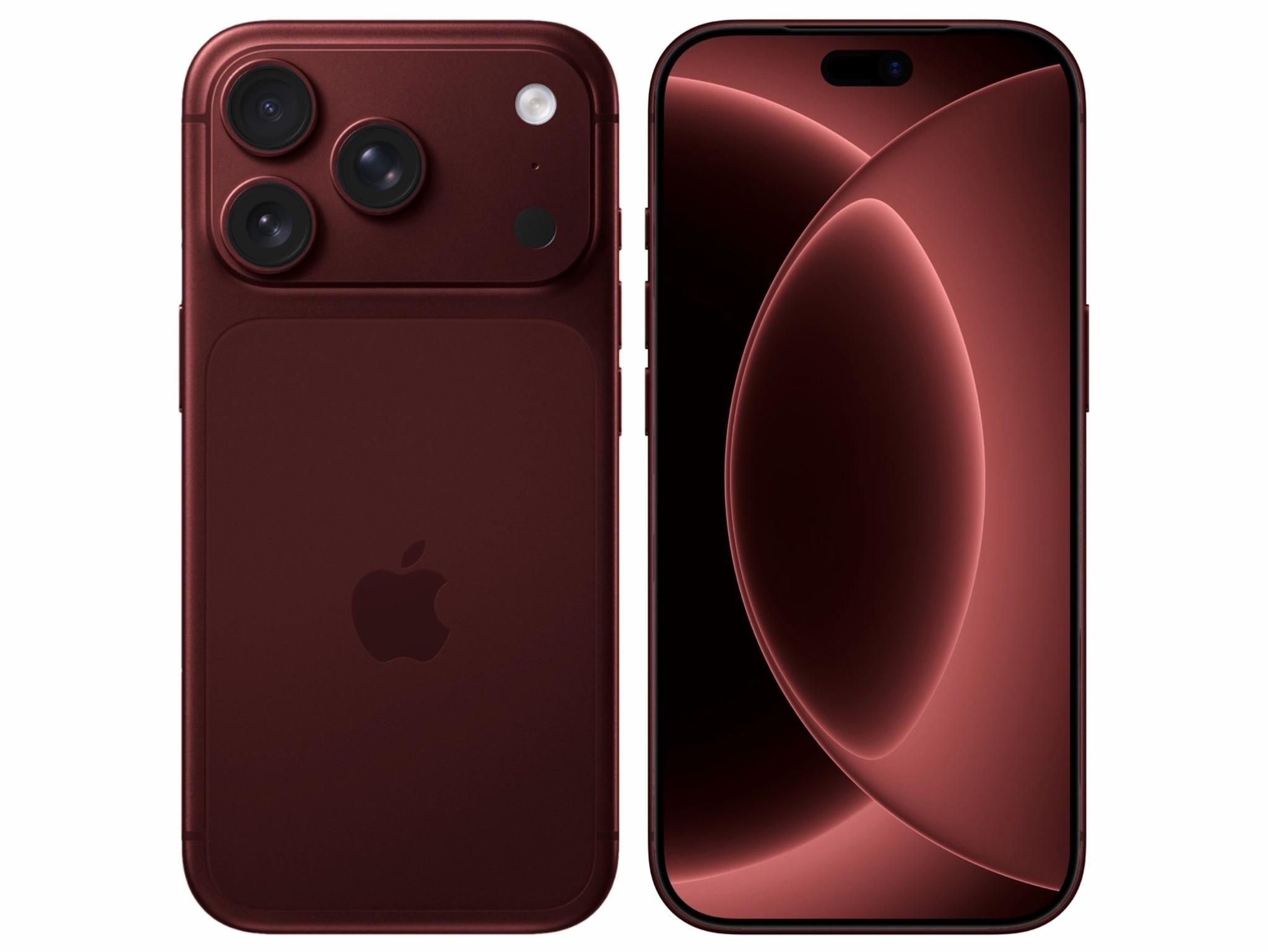
iPhone 18 Pro Arrives With Major Camera, Performance and Battery Upgrades
Apple has officially launched the iPhone 18 Pro and iPhone 18 Pro Max, bringing significant upgrades to the camera system, performance, battery life, display experience, and AI capabilities.
The new Pro models are available in black, silver, glacier, and burgundy, with storage options ranging from 256GB to 2TB. iPhone 18 Pro starts at $1,199 in the U.S., while the iPhone 18 Pro Max starts at $1,299. Apple says availability begins September 18.
A Variable-Aperture Main Camera
One of the biggest changes is the new 48MP Fusion Main camera with variable aperture. For the first time on iPhone, users can manually adjust the aperture, while the camera can also automatically adapt to lighting and depth-of-field conditions.
The camera supports aperture settings from ƒ/1.8 to ƒ/4, giving users more control over portraits, group photos, low-light shots, and background blur. Apple has also added new Pro controls for adjusting aperture, shutter speed, white balance, and exposure through a histogram.
A20 Pro Brings a Major Performance Boost
Both iPhone 18 Pro models are powered by Apple's new A20 Pro chip, built using 2nm process technology.
The chip features a 6-core CPU, 7-core GPU, and dual 16-core Neural Engine. Apple says A20 Pro provides 50% more memory bandwidth than A19 Pro, while its GPU can deliver up to a 40% improvement in graphics performance. The new chip also works with a redesigned vapor chamber, helping the iPhone maintain higher performance during demanding workloads such as gaming and on-device AI processing.
Longer Battery Life and Faster Charging
Battery life also receives a substantial upgrade. According to Apple, eSIM-only versions can provide up to 36 hours of video playback on iPhone 18 Pro and up to 45 hours on iPhone 18 Pro Max.
The iPhone 18 Pro can charge to 50% in around 15 minutes using a wired connection, while wireless charging can reach 50% in approximately 30 minutes.
A Smaller Dynamic Island
The Dynamic Island has been redesigned to occupy less space while providing more information.
Apple says the new Dynamic Island can display up to three Live Activities simultaneously, while continuing to support Face ID and other system functions.
Siri AI Comes to iPhone 18 Pro
The iPhone 18 Pro lineup also arrives with iOS 27 and the next generation of Apple Intelligence. Siri AI is rolling out in beta, adding features such as personal context understanding and onscreen awareness. These capabilities are designed to help Siri understand information across apps and take more useful actions based on what is currently displayed on the iPhone.
Connectivity Gets an Upgrade
The Pro models also introduce Apple's N1 wireless networking chip, supporting Wi-Fi 7, Bluetooth 6, and Thread. Apple has also introduced the C2 cellular modem system, which is designed to improve cellular performance while reducing power consumption.
3uTools' View
The iPhone 18 Pro focuses its biggest changes on areas that directly affect everyday use: photography, sustained performance, battery life, and AI. The variable-aperture camera and A20 Pro chip stand out as the most notable hardware upgrades, while iOS 27 and Siri AI add a new layer of software capabilities.
For users considering an upgrade, the combination of camera control, longer battery life, and improved sustained performance makes the iPhone 18 Pro a significant step forward in Apple's Pro lineup.










