 NEWS
NEWS
iPhone Duo Camera Features: Smart Take, Duo Preview, Specs & More
 Just now
 23
23
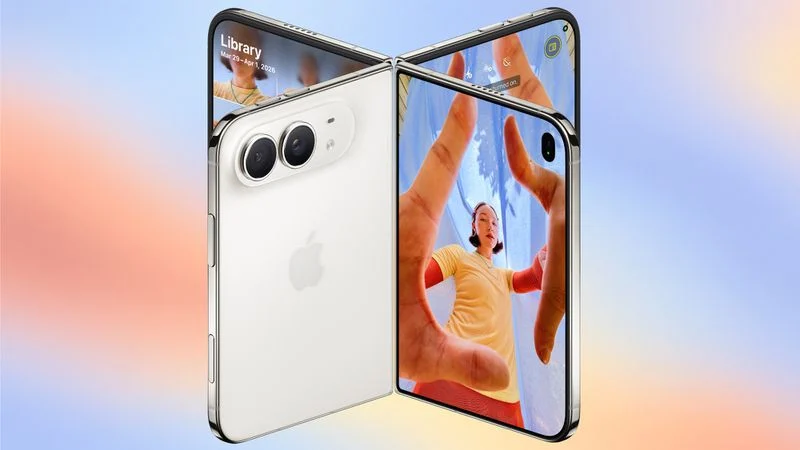
Apple's upcoming iPhone Duo is designed around its unique dual-display and foldable form factor. Beyond its flexible design, Apple is also introducing several camera features specifically designed to take advantage of the two-screen experience.
From AI-powered group photos to a built-in stand and dual-screen camera previews, the iPhone Duo offers several camera capabilities that aren't available on traditional slab-style iPhones.
If you're interested in managing photos, videos, backups, or checking your iPhone's hardware information on a PC, 3uTools also provides a range of tools for iPhone users.
New Camera Features on iPhone Duo
Smart Take
Smart Take uses AI to determine when everyone in a group is ready for a photo, including the person holding the iPhone.
Instead of setting a timer and running into position, you can place the iPhone Duo in a half-folded position, step into the frame, and wait for the camera to capture the photo automatically.
The feature takes advantage of the Duo's ability to stand on its own, making group photography more convenient.
Kid Cue
Taking photos of children can be challenging when they aren't looking at the camera.
Kid Cue addresses this with small Peanuts animations designed to attract children's attention toward the camera. The feature can make it easier to capture photos when a child is looking directly at the lens.
Duo Preview
Duo Preview takes advantage of the iPhone Duo's two displays by showing a live camera preview on both screens.
This means the person being photographed can see the composition in real time and make adjustments before the picture is taken.
It's particularly useful for portraits, group photos, and situations where the photographer and subject are positioned on opposite sides of the device.
Duo FaceTime
Apple is also introducing Duo FaceTime, which makes use of the iPhone Duo's outer display during FaceTime calls.
Nearby friends can participate in a FaceTime conversation using the outer screen while the iPhone owner uses the inner display. This reduces the need for everyone to crowd around a single screen or pass the phone around.
Duo FaceTime is different from Dual Capture. While Dual Capture records video using both the front and rear cameras, Duo FaceTime is specifically designed to let another person participate in a FaceTime call through the outer display.
iPhone Duo's Foldable Design Works Like a Built-In Stand
One of the biggest advantages of the iPhone Duo is its foldable form factor.
The device can be positioned in several orientations, including a partially folded position. Because it can stand on its own, users can make FaceTime calls or record videos without continuously holding the phone.
The folding mechanism can also function as a built-in stand for:
●Selfies
●Group photos
●Long-exposure photography
●Hands-free video recording
●Time-lapse recording
●FaceTime calls
Another advantage is the ability to use the 48MP rear camera for selfies while using the outer display as a viewfinder. This allows users to take higher-quality self-portraits with the rear camera.
iPhone Duo Camera Hardware
The iPhone Duo features Apple's Dual Fusion two-camera system.
The main camera is a 48MP sensor based on the camera used in the iPhone 17 rather than the Pro models. It captures 24MP images at 26mm by default and supports 12MP 2x optical-quality images at 52mm.
The main camera also supports sensor-shift optical image stabilization, although it does not include the second-generation version available on Apple's Pro models.
The iPhone Duo does not support Spatial Photos or Apple's ProRAW format.
48MP Ultra Wide Camera
The second camera is a 48MP Ultra Wide camera with a 13mm focal length and macro photography capabilities.
Because the iPhone Duo does not include a dedicated telephoto lens, its zoom capabilities are limited compared with the iPhone 18 Pro and iPhone 18 Pro Max.
The camera system supports:
●2x optical-quality zoom in
●2x optical zoom out
●Up to 10x digital zoom for photos
The iPhone Duo also supports Apple's latest Photographic Styles, including new texture and grain adjustment options.
iPhone Duo Video Features
Apple is bringing several advanced video capabilities to the iPhone Duo.
Smart Focus Tracking
Smart focus tracking is a new feature shared by the iPhone Duo and iPhone 18 Pro models.
Using AI, the camera can keep a subject in focus and automatically resume subject tracking if the person or object leaves the frame and later reappears.
This can be particularly useful for recording people, pets, sports, and other moving subjects.
4K Dolby Vision Video
The iPhone Duo supports 4K Dolby Vision video recording at up to 120 fps.
It also supports Cinematic mode for recording 4K Dolby Vision video at up to 60 fps.
For the first time on the Duo, Cinematic mode effects can be added after recording rather than being applied only during capture.
Apple also says the iPhone Duo offers improved low-light video recording at 1080p.
Stabilized Time-Lapse
The iPhone Duo also supports stabilized time-lapse recording at up to 4K Dolby Vision.
Its foldable design makes this feature particularly useful because the phone can stand on its own, reducing the need for an external tripod.
Front Camera
The outer front-facing camera on the iPhone Duo is a 12MP camera, compared with the 18MP front cameras found on the iPhone 17 and iPhone 18 Pro models.
The inner display features a 1080p FaceTime camera located under the display.
Camera Features the iPhone Duo Doesn't Have
Although the iPhone Duo offers several unique camera functions, its camera system is not as feature-rich as the Pro models.
Compared with the iPhone 18 Pro and iPhone 18 Pro Max, the iPhone Duo does not include:
●Dedicated telephoto lens
●Pro Controls
●Apple Reference Image
●Variable aperture
●Second-generation sensor-shift optical image stabilization
●Adaptive True Tone flash
●Spatial photos and video
●ProRAW
●ProRes
●ProRes RAW
●Genlock
●Apple Log 2 video recording
●Studio-quality four-microphone array
This means the iPhone Duo focuses more heavily on its foldable design and dual-display camera experience, while the Pro models continue to offer a more advanced professional camera system.
Manage Your iPhone Photos and Videos with 3uTools
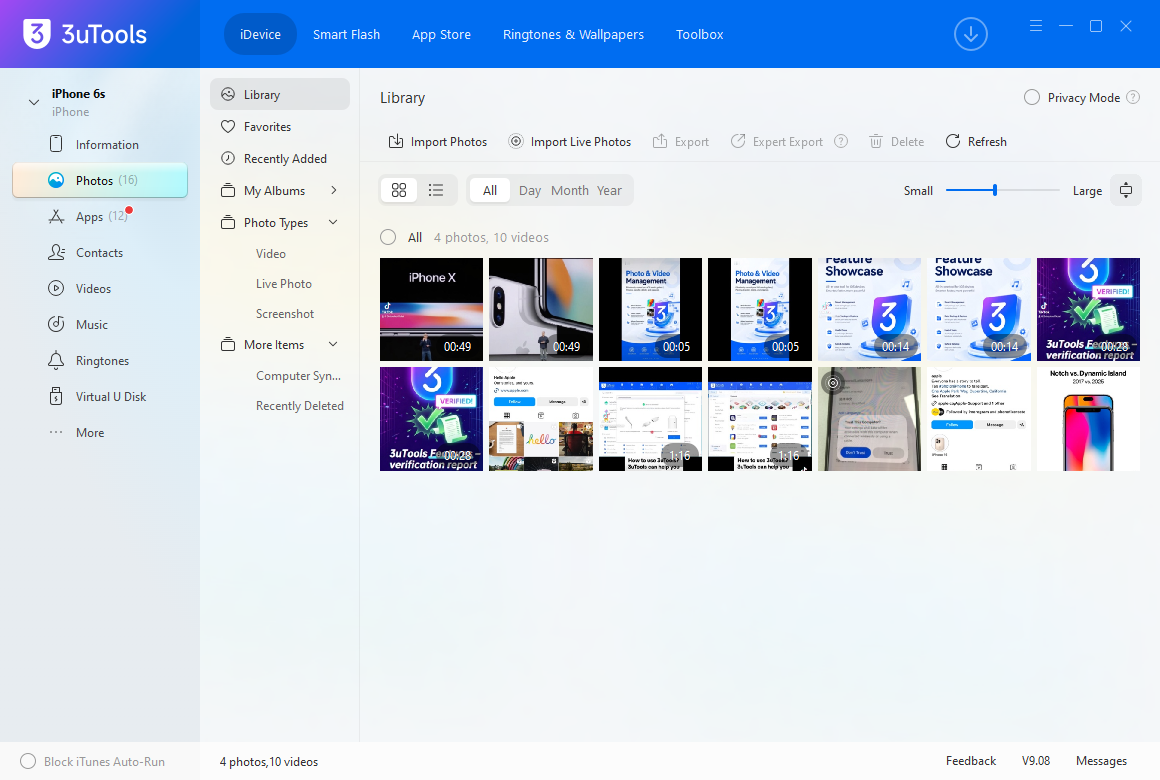
After taking photos and videos with a new iPhone, managing large amounts of media can quickly become a challenge.
3uTools provides tools for iPhone users who want to manage their devices from a Windows or Mac computer.
With 3uTools, you can connect your iPhone to a computer and access useful device-management features, including photo and video transfer, device information, backup and restore, and device health information.
Transfer Photos and Videos to a Computer
High-resolution photos and 4K videos can take up significant storage space.
3uTools can help you transfer photos and videos between your iPhone and computer, making it easier to back up important memories or free up storage on your device.
Check iPhone Device Information
3uTools can also display detailed information about a connected iPhone.
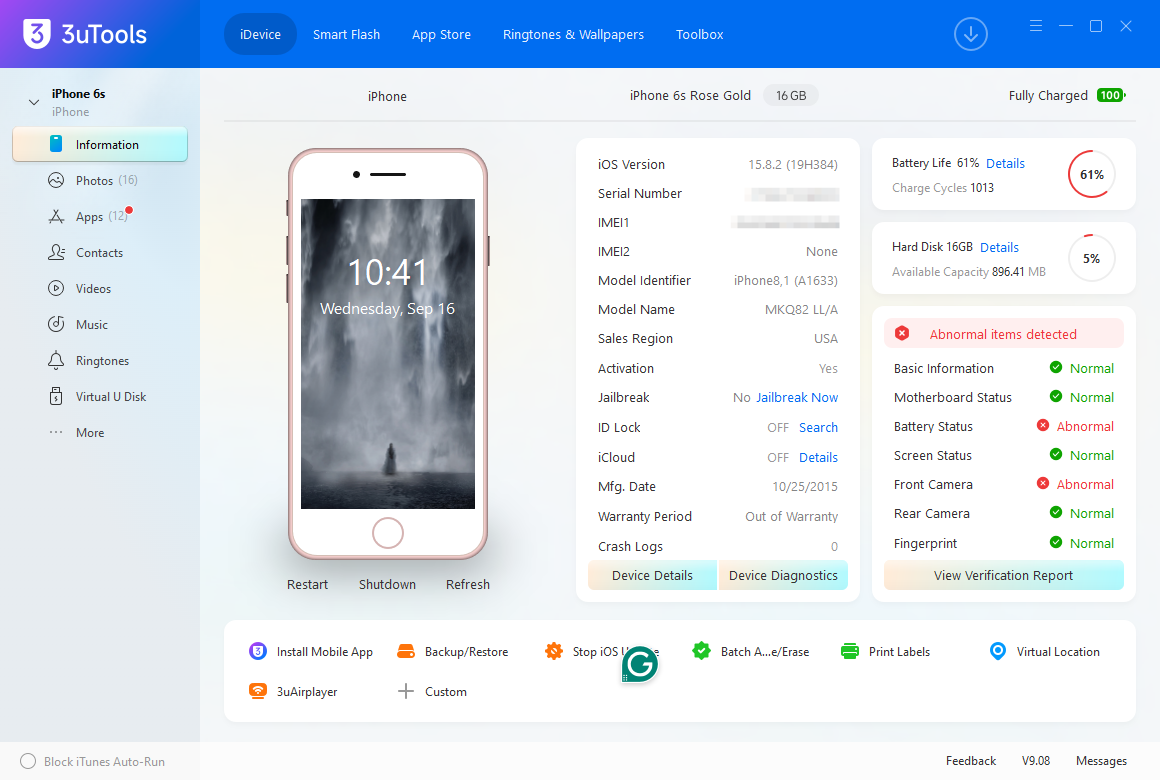
Depending on the device and system version, you can check information such as device model, iOS version, storage information, activation status, and other hardware-related details.
This can be useful when checking a newly purchased iPhone or preparing a device for resale.
Back Up and Restore Your iPhone
Before changing devices, updating software, or performing other maintenance, having a backup of important data is essential.
3uTools provides backup and restore tools that can help iPhone users manage their device data through a computer.
Keeping a local backup can provide an additional way to protect important photos, videos, and other personal data.
iPhone Duo vs. Pro: Camera Features at a Glance
| Feature | iPhone Duo | iPhone 18 Pro / Pro Max |
| Main Camera | 48MP | 48MP |
| Ultra Wide | 48MP | 48MP |
| Dedicated Telephoto | No | Yes |
| Smart Take | Yes | — |
| Kid Cue | Yes | — |
| Duo Preview | Yes | — |
| Smart Focus Tracking | Yes | Yes |
| 4K Dolby Vision | Up to 120fps | Up to 120 fps |
| ProRAW | No | Yes |
| ProRes | No | Yes |
| Spatial Photos | No | Yes |
| Foldable Stand | Yes | No |
| Rear Camera Selfies | Yes | No |
iPhone Duo Release Date and Price
According to the latest information, the iPhone Duo will be available for pre-order on October 16 and officially launch on October 23.
The starting price is expected to be $1,999.
With its foldable design, dual displays, AI-powered camera features, and hands-free shooting capabilities, the iPhone Duo represents a different approach to smartphone photography compared with Apple's traditional iPhone lineup.
For users who plan to capture a large amount of photos and videos with the new device, tools such as 3uTools can provide additional options for transferring media, checking device information, and managing iPhone data from a computer.
Looking for more iPhone tips and device-management guides? Explore more 3uTools tutorials and learn how to manage your iPhone, transfer data, back up important files, and troubleshoot common iOS issues.
Source: MacRumors










