 NEWS
NEWS
Apple Retail Stores Preparing for New Home Product Launches
 08/24/2026
 25
25
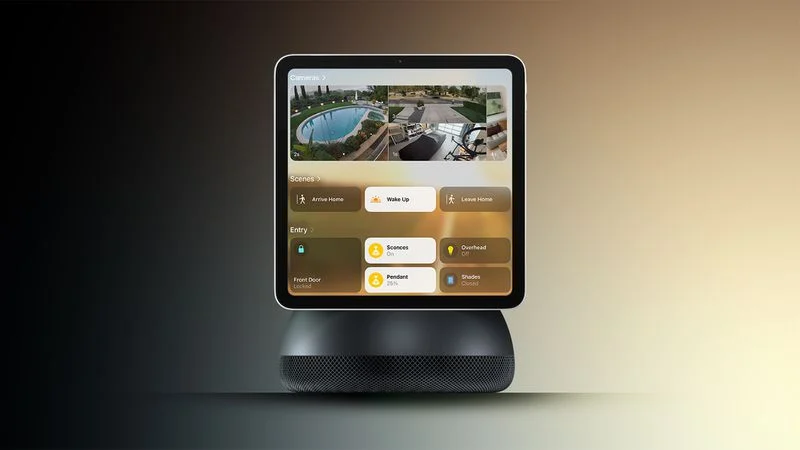
Bloomberg's Mark Gurman reports that Apple is reorganizing parts of its brick-and-mortar stores this fall to make room for new home products.
Writing in his latest Power On newsletter, Gurman says the teams responsible for store layouts are preparing changes to the "Avenues," or the perimeter walls in Apple's newer stores, where accessories like HomePod, Apple TV, AirPods, and Beats are displayed alongside third-party accessories.
The work is said to involve rearranging sections of the Avenues and adding accessory bays for upcoming new devices.
Apple is already believed to have an upgraded Apple TV and a new HomePod mini coming up. Gurman said in July that both were nearly ready, with faster chips for Siri AI but no major design changes. Rumors indicate an A17 Pro chip or better in the new Apple TV, and an S9-series chip, improved sound, and a red finish for the HomePod mini, the current version of which is now over 2,000 days old.
All of that being said, Gurman says the scale of the retail changes suggests prep-work for the launch of its long-awaited home hub with a display (aka the rumored HomePod with Display or "HomePad").
Gurman reported last month that the smart home hub will arrive at some point between October and early next year. It's expected to have a 7-inch square display, and will be sold with either a tabletop base or a wall mount. There's also said to be an all-new operating system built around tvOS with Siri AI powering the device.
Code strings uncovered in macOS Tahoe 26.7 last week suggest the home screen will use a Widget Gallery similar to the iPhone's Lock Screen customization options. The code also indicates that the new device's home screen could have many of the same options for icons, widgets, and clock faces, with widgets from a linked iPhone suggested automatically.
Apple will need a dedicated space where customers can see how the hub works, what its purpose is, and how it fits into the wider home setup, Gurman reports.
Source: Macrumors










