
NEWS

Apple's Steady iPhone Pricing Pays Off as Rivals Scramble

Just now

16

Apple captured a record 20% share of the global smartphone market in the second quarter of 2026, even as worldwide shipments fell 4% year-over-year amid an ongoing memory chip shortage, according to a new report from Omdia.
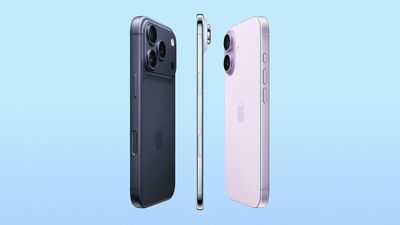
Apple's Steady iPhone Pricing Pays Off as Rivals Scramble
It is Apple's best second-quarter showing on record, landing in what is normally its slowest stretch of the year. Omdia credits this to a strong iPhone 17 upgrade cycle, as well as Apple keeping prices flat across the lineup while rivals were forced to raise theirs. The firm still flagged that Apple raised prices on other products late in the quarter, which raises the question of whether iPhone pricing will follow suit later this year.

The wider industry slump traces back to a memory chip shortage that has pushed component costs sharply higher, with some vendors reportedly paying several times more for memory than a year ago. Samsung was the only other major vendor to grow, holding the top overall spot at 22% share as Chinese competitors pulled back their lineups and raised prices to cope.

Omdia expects the squeeze to worsen over the next two quarters as peak shopping season collides with tight supply, pushing vendors further upmarket to protect margins. That is expected to leave fewer affordable options for budget buyers, and adds another data point to observe as Apple heads into an iPhone 18 cycle already facing rising component costs of its own.

Source: Macrumors

Windows
Mac OS
iOS
Linux
3uTools
Win 64-bit For this device
V9.06 2026-04-09
Download
Win 32-bit For this device
V9.06 2026-04-09
Download
3uTools
Intel Chip How to Identify Chip Type
V9.03 2026-03-27
Download
Apple Silicon
V9.03 2026-03-27
Download
How to Identify Chip Type
1.  Click the Apple icon in the top-left corner of the screen and select About This Mac.
2.  Check the Processor or Chip field to determine if it is "Intel" or "Apple".
Please use the 3uTools PC client to install the iOS client:
1、 Install either the Windows or Mac version of 3uTools on your computer
2、 Open the PC client and connect your device to the computer via USB cable
3、 After the connection is successful, wait for the computer to automatically install the mobile app for the device, or locate “Install Mobile App” on the computer and manually click to install.
3uTools
deb file
V9.01 2026-05-28
Download
rpm file
V9.01 2026-05-28
Download
Windows
Windows
iOS
iOS
Android
Android
TV
TV
3uAirPlayer
Win 64-bit For this device
V6.0.6 2026-06-26
Download
Win 32-bit For this device
V6.0.6 2026-06-26
Download
iOS Device Mirroring (No App Required)
1、 Install 3uAirPlayer on the Windows PC
2、 Open Control Center and select Screen Mirroring
3、 From the list, choose your PC to start mirroring
4、 Or connect your iOS device to the PC via USB to begin mirroring
Scan to get "3uAirPlayer" App
3uAirPlayerTV
 
TV System Requirements: Android 7.0 or later
Download the TV installation package, copy it to a USB drive, insert it into your TV or set-top box, then select the file from the home screen to install.




